
SEO Friendly Website: Drive Growth & Visibility
Build an SEO friendly website for measurable growth. Our guide covers technical SEO, content, and a 90-day sprint plan for SaaS, e-commerce & B2B.

Most companies still treat their website like a design project. That’s a budget leak.
If you’re serious about growth, your seo friendly website isn’t a brochure, a brand mood board, or a one-time rebuild. It’s a revenue system. The companies that win in SaaS, e-commerce, and B2B are the ones that build sites that rank, load fast, guide decisions, and convert demand into pipeline.
That matters more now because SEO is no longer a side channel. The global SEO services market is projected to reach USD 234.8 billion by 2030, and organic search generates 34% of all qualified leads for businesses, according to G2’s SEO statistics roundup. If your website underperforms, you’re not just missing traffic. You’re blocking one of your highest-value acquisition channels.
Why Your Website Is Your Most Important Growth Asset
A website should produce demand, qualify buyers, and shorten the path to revenue.
Most don’t. They look polished, but they bury core pages, confuse visitors, and force marketing teams to compensate with more ad spend, more sales effort, and more content that never compounds. That’s backwards. Your website should make every other channel work harder.
A strong seo friendly website does three jobs at once:
- It captures existing demand from search
- It converts attention into action through clear journeys and offers
- It compounds over time instead of resetting every campaign cycle
The lead quality gap alone should change how you think about this. SEO leads close at 14.6%, while outbound leads close at 1.7%, as noted in the same G2 dataset linked above. That’s why I push leaders to stop debating whether the website is a cost center. It isn’t.
Your paid media can rent attention. Your website decides whether that attention turns into revenue.
The mistake I see most often is treating the site launch like a finish line. It’s not. A high-performance site needs continuous tuning across technical SEO, messaging, page speed, content depth, internal linking, and conversion paths. That’s why sprint-based execution works better than giant redesigns that disappear into six months of internal approvals.
If your team is still weighing whether to build internally or bring in outside execution support, read this breakdown of in-house vs agency marketing. The right model is the one that lets you ship improvements fast enough to matter.
The Strategic Blueprint Before You Build
A site fails long before development starts.
It fails when leadership skips intent mapping, when marketing writes navigation around internal org charts, and when designers prioritize aesthetics over buyer movement. If the blueprint is wrong, the build will be expensive and underwhelming.

Start with buyer intent, not menu labels
Your navigation should reflect how buyers search, compare, and decide.
A SaaS founder doesn’t want to decode your internal category system. A B2B buyer doesn’t want to hunt for use cases hidden under “Solutions.” An e-commerce shopper doesn’t want extra clicks between category discovery and product confidence.
Build around intent buckets such as:
- Problem-aware pages that answer pain-point searches
- Solution-aware pages that compare approaches, services, or product types
- Decision-stage pages like pricing, demos, case-proof, integrations, FAQs, and contact paths
This sounds obvious. Most companies still miss it because they build from the inside out.
Here’s the practical test. If a first-time visitor lands on your homepage, can they identify who you help, what outcome you deliver, and where to go next within seconds? If not, the site architecture is already working against you.
Structure around conversion paths
The best site structures are simple enough for users and strict enough for search engines.
I prefer a shallow architecture. Keep critical pages close to the homepage, tightly group related topics, and make internal links carry visitors toward commercial actions. Don’t force people through six levels of navigation just because your CMS makes nested pages easy.
A clean structure usually includes:
Practical rule: Every important page should have a clear business role. If it doesn’t support discovery, trust, or conversion, it probably shouldn’t exist.
Do competitive analysis the useful way
Competitive research isn’t about copying layouts. It’s about finding missed intent, weak messaging, and dead-end journeys.
Review competitor sites with four questions:
- What search intents are they covering well?
- Where do they create friction?
- Which pages feel thin, generic, or outdated?
- What proof are they missing near conversion moments?
Many “seo friendly website” projects often go soft. Teams collect screenshots, then stop. You need decisions, not inspiration boards.
Look for gaps like:
- missing comparison pages
- weak industry-specific landing pages
- generic product descriptions
- no strong internal links between informational and commercial content
- contact forms with no supporting trust signals
Define page templates before design starts
Templates prevent chaos.
If every page is designed from scratch, your site becomes impossible to scale. Instead, define a small set of reusable page models for product pages, service pages, blog posts, case-proof pages, category pages, and landing pages. Each should have a fixed content hierarchy, SEO fields, and conversion elements.
That gives your writers, designers, SEOs, and developers one operating system. It also makes testing easier because you can isolate which components improve engagement and which ones slow users down.
The companies that get this right don’t just launch cleaner websites. They publish faster, update faster, and learn faster.
Nailing The Technical SEO Foundations
Technical SEO decides whether your growth plan can execute at all.
At Ezca, we treat this work as a 90-day sprint, not a background task for developers to get to later. In Q4 2023, Google reported that more than 200 million pages disappear from Search every day because websites return soft 404 errors instead of a proper response code, according to Google Search Central. That is what technical debt looks like in plain terms. Pages exist, but search engines stop treating them as reliable assets.
Crawlability is a revenue issue
If search engines cannot reach your highest-value pages efficiently, those pages will not rank consistently. That hurts pipeline, not just traffic.
Start with crawl paths. Your category, service, product, and solution pages should sit close to strong internal hubs. Important URLs should never depend on site search, filters, or a buried footer link to get discovered. B2B and SaaS teams often overbuild resources and underlink money pages. E-commerce teams do the opposite and leave supporting content disconnected from commercial categories. Both patterns waste authority.
Use this baseline review:
- Robots.txt check to confirm that important directories are open to crawl
- Orphan page review to find pages with no internal links
- Broken link cleanup across menus, body copy, and old blog content
- XML sitemap review so only index-worthy URLs are submitted
- Redirect review to remove chains and loops that slow crawling
If your team needs a plain-English primer before opening Screaming Frog or Search Console, this guide to a site audit is a useful starting point.
Indexation needs rules, not guesswork
A crawlable page can still fail if Google indexes the wrong version.
That happens all the time on sites with parameter URLs, faceted navigation, internal search pages, duplicate category paths, campaign pages left live after the promotion ends, and CMS archives nobody intended to rank. Search engines spend time on near-duplicates while your preferred URL splits signals with weaker copies.
Set hard rules early in the sprint. Define which templates can be indexed, which ones need canonical tags, which ones should be blocked, and which ones should return noindex. Then audit whether the CMS and dev stack follow those rules.
Ask direct questions:
- Which URL is the canonical source for each template?
- Are filter combinations creating indexable duplicates?
- Are old paid landing pages competing with evergreen pages?
- Are tag pages, author archives, and internal search pages indexable for no good reason?
- Is the staging environment fully blocked?
This work should be owned by one person. Without ownership, index bloat grows steadily and rankings flatten.
Technical SEO should be built into templates
The biggest mistake agencies make is treating technical SEO like a one-time cleanup. It belongs in the page system.
Every core template should include the same technical controls by default: editable title tags, meta descriptions, canonical fields, structured heading hierarchy, schema opportunities, image alt fields, and clean internal link modules. That is how you scale quality without re-auditing every page from scratch after launch.
Here is the minimum standard I would require before sign-off:
Semantic HTML also matters more than many dev teams assume. Search engines use page structure to interpret importance and relationships. A page with sloppy headings, weak breadcrumbs, and no schema gives up context you could have shipped in the first sprint.
If you need outside support for the audit and implementation phase, technical SEO services for growth-focused teams can fill the gap while your developers handle the fixes.
What to ship in the first 90 days
Skip vague requests like “improve technical SEO.” That language creates delays because nobody knows what done looks like.
Ship a defined sprint instead:
- Week 1 to 2: crawl the site, map indexation problems, and score issues by traffic and revenue impact
- Week 3 to 4: fix robots directives, broken links, redirect chains, sitemap errors, and orphan pages
- Week 5 to 8: clean up duplicate URLs, canonicals, pagination, faceted navigation, and thin archive pages
- Week 9 to 10: add schema, improve semantic markup, and validate template-level metadata controls
- Week 11 to 12: re-crawl, QA the fixes, compare indexed pages against target pages, and document ownership for future releases
That is how technical SEO turns into a repeatable operating system. Not agency theater. Not a giant spreadsheet nobody revisits. A focused sprint that gets high-value pages crawled, indexed, and ready to produce revenue.
Creating Content That Ranks And Converts
Organic search drives 53.3% of all website traffic, according to BrightEdge research. If that traffic lands on weak pages, you get visits without pipeline. If it lands on pages built around buyer intent, SEO becomes a revenue channel.
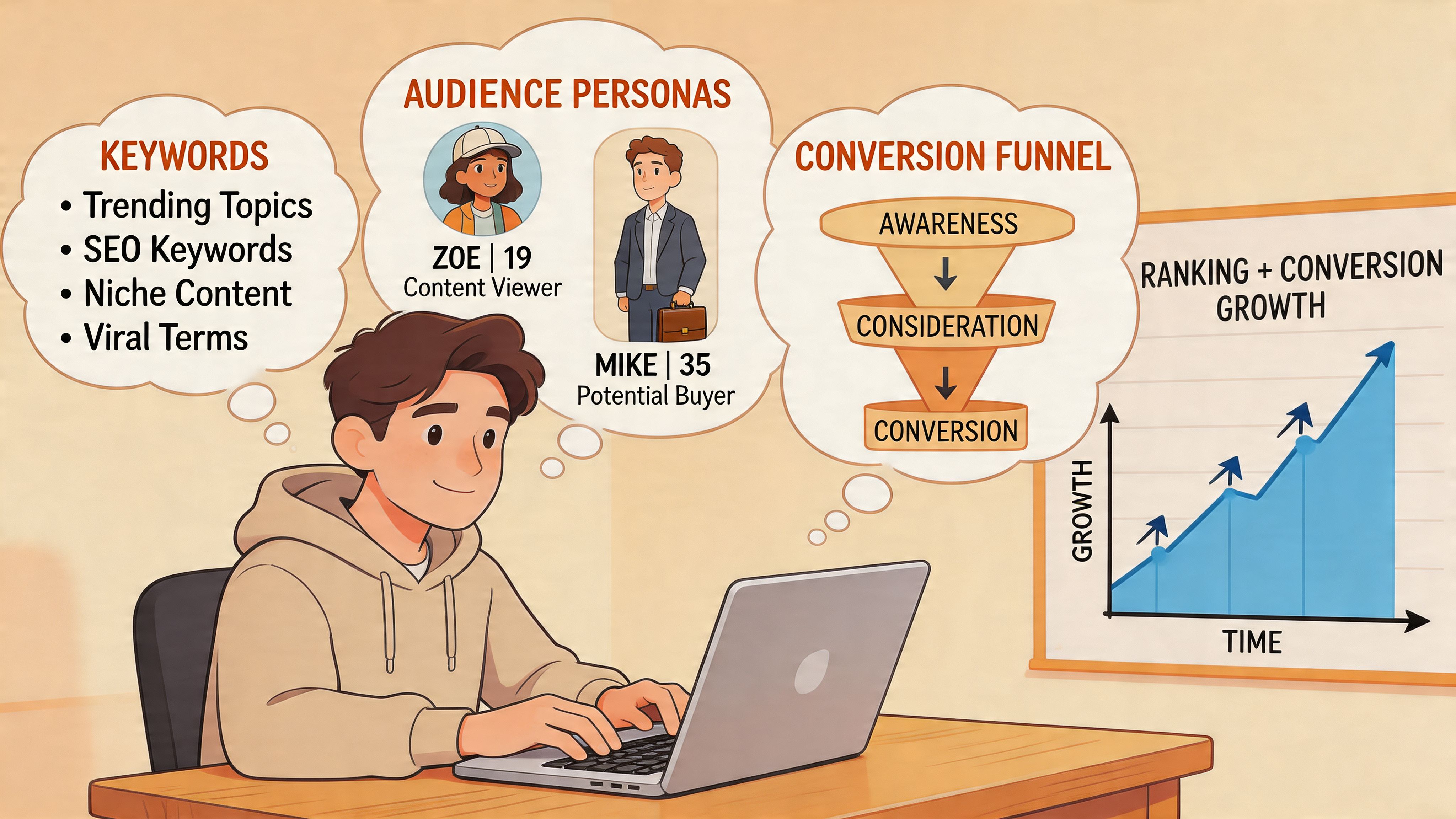
A lot of marketing teams still treat content like a publishing quota. They chase broad informational terms, publish disconnected articles, and hope traffic turns into leads later. That approach burns 90 days and produces very little besides impressions.
Build content like a sales system instead. Every page should target a defined stage of the buying journey, support one commercial theme, and push the visitor toward a next step that matters.
Build topic clusters around revenue, not random keywords
Single-keyword planning creates thin content libraries and weak internal pathways. Clusters perform better because they mirror how real buyers research. A prospect rarely searches once, reads one post, and books a demo. They compare options, check fit, look for proof, and test risk.
Your cluster should cover that path:
- A pillar page for the main commercial topic
- Educational support pages that explain the problem and the solution category
- Comparison pages for buyers evaluating alternatives
- Use-case or industry pages that show fit
- Conversion pages tied to demos, trials, consultations, or product detail
This structure improves rankings because the site shows topical depth. It improves conversion because the buyer can move from question to decision without leaving your ecosystem.
Write pages for intent first, optimization second
Good on-page SEO starts with search intent. You are not writing for a keyword tool. You are writing for someone trying to solve a problem, reduce risk, or justify a purchase.
That changes the brief.
A high-performing page needs a clear promise in the title, a strong reason to click in the meta description, headers that match real buyer questions, and internal links that move readers toward commercial pages. The copy also needs substance. Specific examples, sharp positioning, proof points, and direct answers beat fluffy intros every time.
If your writers need a practical checklist, this guide on how to write SEO-friendly blog posts is a solid reference.
Editorial rule: Do not publish a page until you can name the intent, the target query set, and the conversion action.
Match the content system to the business model
Generic SEO advice breaks here. SaaS, e-commerce, and B2B services need different page types because the sales motion is different.
SaaS
SaaS buyers need clarity and confidence. Prioritize feature pages, use-case pages, integration pages, competitor comparisons, implementation FAQs, and onboarding-related content. These pages reduce perceived risk and help sales conversations start warmer.
E-commerce
E-commerce content should sit close to the transaction. Focus on category pages, collection copy, product education, buying guides, and comparison content that supports merchandising. Informational content matters, but product discovery and purchase support usually produce the fastest return inside a 90-day sprint.
B2B services
B2B service firms need content that pre-qualifies demand. Build pages around outcomes, delivery models, industry expertise, timelines, pricing factors, and diagnostic content. Strong service content filters out low-fit leads before your team spends time on calls.
Specificity beats volume
Search engines reward relevance. Buyers reward clarity.
That means fewer vague thought-leadership pieces and more pages built from actual sales objections, customer questions, implementation friction, and category confusion. Update older pages that already have traction. Add proof. Tighten the CTA. Strengthen internal links. Expand the section that answers the objection your sales team hears every week.
This is the work that compounds inside a 90-day sprint. Week 1 to 2 is intent mapping and cluster planning. Week 3 to 6 is drafting and publishing priority pages. Week 7 to 10 is internal linking, conversion upgrades, and content refreshes. Week 11 to 12 is performance review, pruning weak pages, and doubling down on the topics that are already producing qualified traffic.
If you want a stronger operating model for that process, this framework on how to increase organic traffic is worth keeping in your working docs.
The best content teams ask one question before publishing. Will this page help a qualified buyer move closer to revenue within the next 90 days? If the answer is no, cut it.
Winning With Speed Performance And Mobile Experience
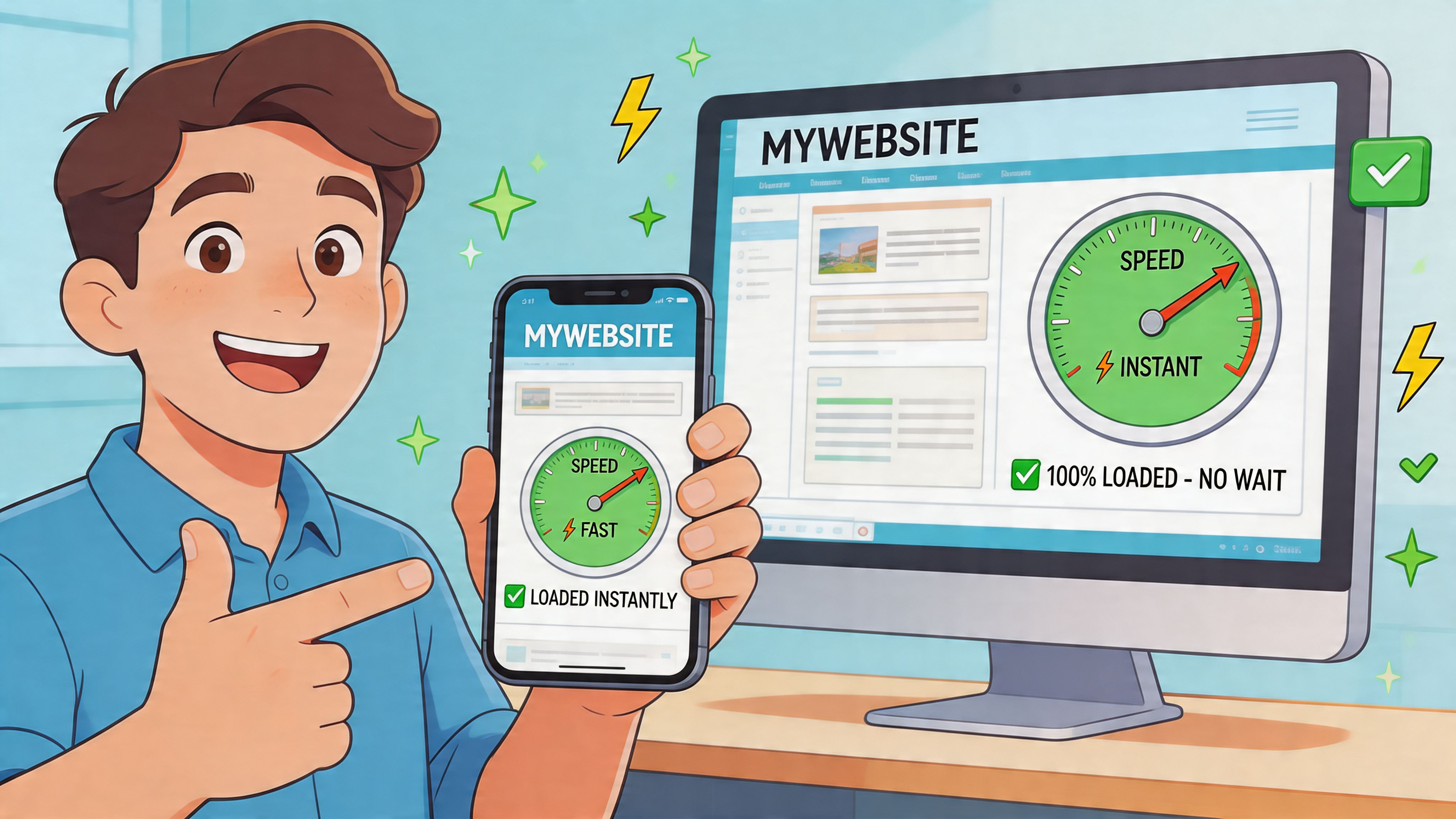
Google found that as page load time goes from 1 second to 3 seconds, the probability of bounce increases by 32%, based on its mobile page speed research. That is not a design problem. It is a revenue problem.
A slow site wastes the traffic you already paid for. SEO brings the visit. Performance decides whether that visit turns into a session long enough to produce a lead, demo request, or sale. In a 90-day sprint, speed work belongs near the top of the backlog because it improves both rankings and conversion efficiency without waiting for new content to mature.
What Core Web Vitals actually mean
Core Web Vitals are practical operating metrics for buyer experience.
- LCP under 2.5s means the main content appears fast enough to hold attention
- INP under 200ms means the page responds quickly when someone taps, clicks, or types
- CLS under 0.1 means the layout stays stable instead of shifting during load
These numbers map to obvious business outcomes. Slow LCP delays the first useful impression. Poor INP makes forms, filters, and menus feel broken. High CLS causes misclicks and interrupts momentum right before conversion.
Treat them like funnel metrics, not developer trivia.
Fix the biggest bottlenecks first
Start with issues that affect entire templates and high-intent pages. Home, product, pricing, service, and lead capture pages deserve attention before blog archives and low-value utility pages.
The highest-return fixes are usually:
- Compress oversized images and serve next-gen formats where supported
- Prioritize above-the-fold assets so the first screen renders quickly
- Delay non-critical JavaScript that blocks interaction
- Reserve space for banners, embeds, and media to stop layout shifts
- Remove third-party scripts that do not contribute to acquisition or conversion
- Clean up mobile templates with oversized components, heavy sliders, and awkward tap targets
B2B and SaaS teams often add tools faster than they remove them. Chat widgets, A/B testing scripts, session replay, consent layers, personalization tools, review apps, and social embeds all compete for load time. If a script cannot justify its cost in pipeline, qualified leads, or revenue, cut it.
That is how performance work pays back inside a 90-day sprint. Weeks 1 to 2 identify template-level problems. Weeks 3 to 6 fix the pages closest to revenue. Weeks 7 to 10 remove script bloat and tighten mobile interactions. Weeks 11 to 12 validate gains in Core Web Vitals, bounce rate, form completion, and conversion rate.
This short video is worth sharing with both marketing and development teams when you want a common frame for page experience:
Mobile experience decides whether users stay
Responsive design is the baseline. Usability is what produces revenue.
A site can resize for mobile and still fail buyers. The usual problems are obvious. Navigation is crowded. Forms ask for too much. Product details sit below oversized images. CTAs appear late. Filters are hard to use with one thumb. On mobile, those mistakes cost more because attention is shorter and comparison shopping is faster.
Review your mobile pages like a buyer trying to make a decision in under two minutes:
A seo friendly website that loads fast and feels easy on mobile will usually beat a better-looking desktop-first site. Pretty pages win internal reviews. Fast mobile pages win pipeline and sales.
Your 90-Day Sprint To A High-Performance Website
Web redesigns often miss the target. They ship new visuals, then wait six months to learn nothing changed in pipeline, sales, or qualified traffic.
Run the project as a 90-day sprint instead. A fixed quarter creates pressure, exposes trade-offs early, and forces every team to tie output to revenue. That is the point. High-growth SaaS, e-commerce, and B2B companies do not need a long redesign committee. They need a short operating window with clear owners, weekly releases, and a dashboard tied to business results.
Research from Forrester has shown that better digital experiences can generate measurable business returns when teams connect site improvements to conversion and operational efficiency. Use that principle the right way. Treat this sprint as a growth program, not a design exercise.
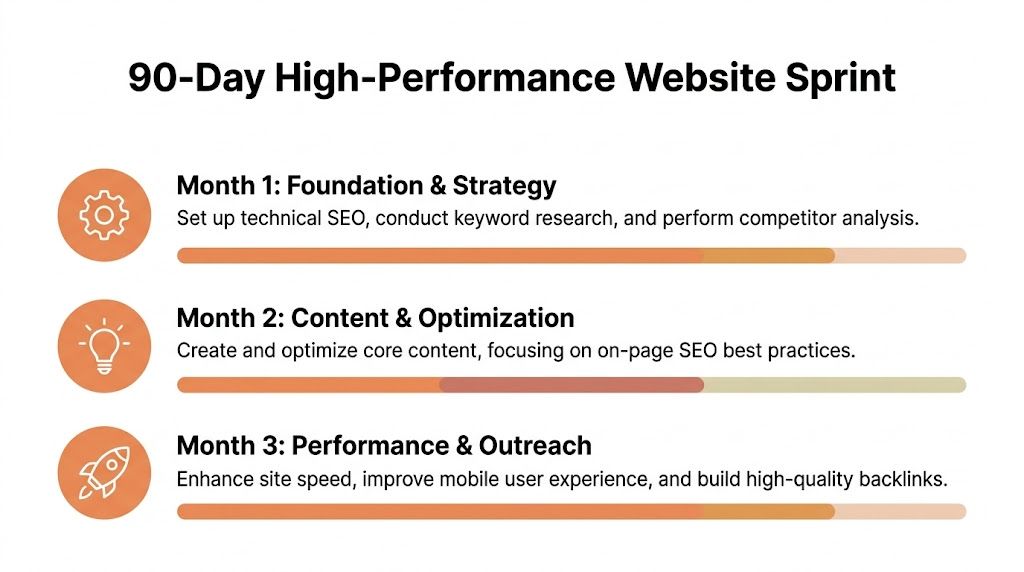
Days 1 to 30 for Foundation and strategy
Month one is for diagnosis and decisions.
Do not start by rewriting copy or debating colors. Start by identifying what already drives traffic, leads, trials, sales, and assisted conversions. Then decide what the new site must protect, fix, and expand. If you skip that sequence, you will rebuild pages that look cleaner and perform worse.
Week 1
Run a full crawl and compare it against indexation data, analytics, and conversions. Review duplicate pages, redirect chains, broken links, template conflicts, thin pages, and technical errors that block crawling or tracking. Pull a list of the pages closest to revenue.
Week 2
Map search intent and buyer intent together. Split pages by audience, offer, funnel stage, and business value. Every page needs a job. Rank, convert, support a sale, or build trust.
Week 3
Set the architecture. Finalize navigation, page hierarchy, content clusters, URL logic, and internal linking priorities. Lock the page templates too, including the conversion elements each template requires.
Week 4
Set measurement before launch. Configure analytics, event tracking, forms, demos, calls, scroll depth, checkout steps, and attribution rules. Clean baselines matter because weak measurement makes every later win harder to prove.
Month-one KPIs should stay tight:
- Crawl health
- Indexed page quality
- Core Web Vitals status
- Top landing page engagement
- Conversion path completion
- Lead or sales attribution readiness
Operational advice: If a KPI will not change a decision in the next two weeks, remove it from the dashboard.
Days 31 to 60 for Content and implementation
Month two is where strategy turns into shipped pages.
Prioritize by commercial value first. Build or rewrite the pages that influence demos, trials, quote requests, product exploration, category discovery, and checkout behavior. A page that drives revenue deserves more attention than a blog post no sales rep has ever used.
What gets built in this phase
- Core commercial pages such as services, products, categories, pricing, demos, or quote pages
- Cluster support content that strengthens topical relevance
- On-page optimization across titles, meta descriptions, headers, URLs, and internal links
- Trust assets like FAQs, proof sections, testimonials, and process clarity
- Performance improvements tied to the most important templates
This phase is where internal teams lose time. Design review expands. Stakeholders request extras. Copy gets softened until it says nothing. Cut that behavior fast. Clear positioning, stronger information hierarchy, and direct CTAs outperform polished ambiguity every time.
Use a simple launch stack:
- Publish or update priority pages
- QA mobile layouts
- Validate metadata and canonicals
- Test forms and CTAs
- Confirm analytics events are firing
Days 61 to 90 for Performance and scale
Month three decides whether the sprint produces temporary improvement or a durable acquisition system.
Review what shipped and tighten weak spots quickly. Improve underperforming templates, strengthen internal links from informational pages into commercial pages, fix conversion friction, and check how organic landing pages assist pipeline. Then support the site with selective authority building and a disciplined testing loop.
Focus areas in the final month
Leadership should review business movement here, not just production output.
The KPIs that usually matter most are:
- qualified lead volume
- trial starts
- product page engagement
- quote or contact submissions
- bounce rate on core landing pages
- conversion rate by device
- visibility of priority pages
What a good sprint dashboard looks like
Bad dashboards create reporting theater. Good dashboards make decisions obvious.
Use three layers.
Executive layer
Show business outcomes only. Leads, revenue actions, conversion rate, and trend direction.
Channel layer
Track organic landing page sessions, rankings for target pages, search click behavior, and page-level engagement.
Production layer
Track tickets shipped, technical blockers, template completion, and QA pass status.
That structure works because it connects work to results inside the same quarter. You can see what changed, which pages moved, which fixes shipped, and where the next sprint should focus.
A high-performance seo friendly website is never finished. It should become productive within 90 days if you manage it like an acquisition asset instead of a branding artifact.
If you want a team that can run this kind of sprint across SEO, CRO, content, paid media, and analytics, Ezca Agency works with SaaS, e-commerce, and B2B companies in focused 90-day cycles built around measurable growth.