
Internal Linking in HTML: A Guide for Marketing Leaders
Unlock SEO growth with our guide to internal linking in HTML. Learn actionable strategies for SaaS, B2B, and e-commerce to boost traffic and ROI.
At its core, internal linking in HTML is the act of connecting pages on your own website with hyperlinks. For a business leader, however, it's a strategic tool for shaping user journeys and signaling to Google which pages drive revenue. When executed correctly, it builds a powerful architecture that boosts engagement, distributes authority, and directly impacts your bottom line.
Why Internal Linking Is a Critical ROI Driver
As a business leader, your focus is on measurable results. While external backlinks often get the spotlight, a smart internal linking strategy is one of the most cost-effective and highest-impact SEO levers you control. This isn't a technical chore; it's a core component of your growth engine.
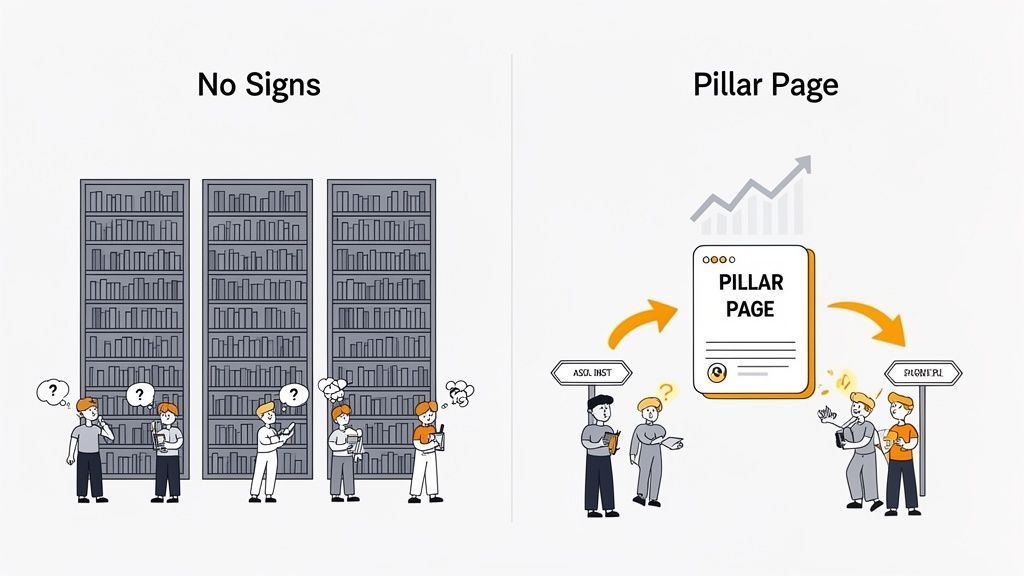
Imagine a website without a clear link structure. It's a library with no signs. A potential customer lands, gets confused, and leaves—a lost lead. Meanwhile, Google's crawlers have no idea which pages are your cornerstone assets versus a minor blog post. The result is missed opportunity.
A thoughtful internal linking in HTML strategy transforms a random collection of pages into a cohesive digital experience that converts. It creates a guided journey, leading prospects and search engines straight to your most valuable, revenue-generating pages.
This structured approach delivers tangible business outcomes. To get the most out of your internal links, it helps to understand the bigger picture of how to implement search engine optimization within your content strategy. By creating these logical pathways, you can directly influence key performance indicators.
The Business Case for Internal Linking
A solid strategy delivers a measurable return by transforming site navigation into a conversion funnel. Here are the primary business benefits:
- Distributing PageRank (Authority): When a page earns a valuable backlink, internal links act as conduits, spreading that "link equity" to other key pages. This ensures your PR and link-building efforts lift the pages that actually drive conversions, not just the page that got the link.
- Boosting Engagement Metrics: By guiding visitors to related, high-value content, you increase session duration and pages per session. A 2026 study by the Digital Marketing Institute showed that sites with strong topic cluster linking see a 15% lower bounce rate on average—a strong signal to Google that your site delivers a superior user experience.
- Increasing Conversion Rates: Strategic links create a clear path from an informational blog post (e.g., "What is X?") to a high-intent service page (e.g., "Our Services for X"). This deliberate funnel is what turns readers into leads and customers, directly impacting revenue. We cover more on this in our guide to increase your website's organic traffic.
The Nuts and Bolts of HTML Internal Links
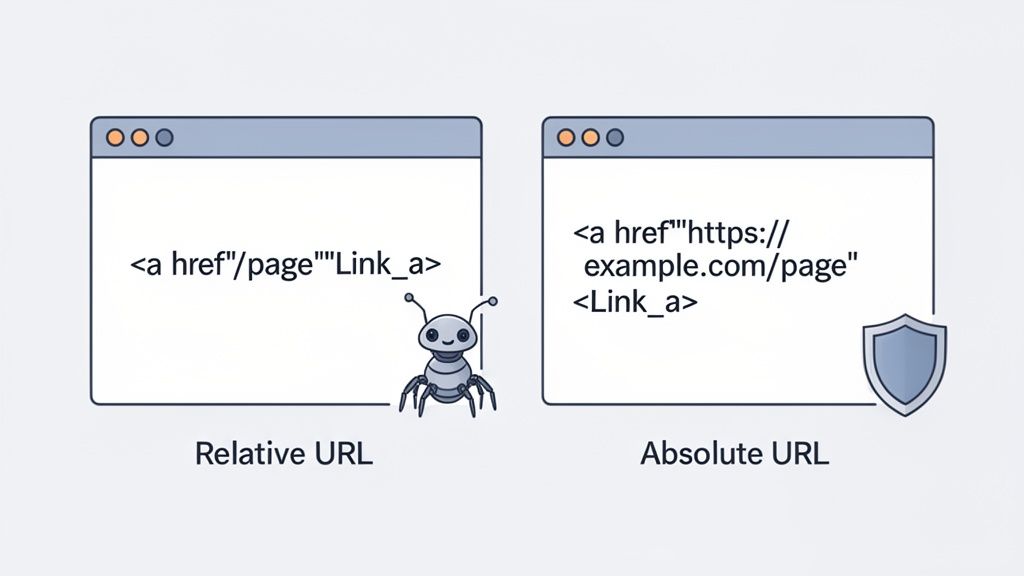
You don't need to be a developer to make smart decisions about linking, but understanding the fundamentals is crucial for leading your team. Every internal link uses the HTML anchor tag, <a>. Its href attribute tells the browser where to go next.
The real strategic decision isn't just what to link, but how the link is constructed. This technical choice directly impacts your site's crawlability, indexation, and long-term SEO resilience.
The real strategic decision isn't just what to link, but how the link is constructed in the HTML. This technical choice directly impacts your site's ability to be crawled, indexed, and ranked effectively by search engines.
This is where you can steer your team toward a more robust strategy. When defining that href address, you have two choices: a relative URL or an absolute URL.
Relative vs. Absolute: The Critical Difference
A relative URL is a shorthand path, like /services/seo. It's quick for developers but fragile. If you ever restructure your site, change domains, or migrate from HTTP to HTTPS, these links can break, creating 404 errors that kill user experience and SEO value.
An absolute URL is the full, unambiguous address: https://www.yourdomain.com/services/seo. This is the gold standard for business. It's robust, clear, and future-proof. It sends a crystal-clear signal to search engines and ensures that if your content is ever syndicated or scraped, the link still points back to your domain, preserving your authority.
This isn't just theory. One of our clients, a B2B SaaS company, saw a 10% increase in crawl efficiency and a 5% lift in indexed pages within one month of switching from relative to absolute URLs site-wide.
Relative vs Absolute URLs: A Strategic Comparison
This table clarifies the technical and strategic implications of each URL type, helping you understand what’s best for your website’s SEO health.
Enforcing a sitewide policy of using absolute URLs is a simple governance move that prevents costly SEO headaches.
This brings us to a key concept: crawlability. Search engine bots need clean pathways to discover your content. Complicated JavaScript links can act like invisible walls, hiding important pages. Standard HTML <a href> links with absolute URLs are the most reliable way to ensure crawlers find everything. Google’s own documentation on crawlable links and their importance confirms that simple, clear links lead to more efficient content discovery.
This is why our technical SEO audits at Ezca always start with link integrity. Ensuring every important page is accessible via a clean, absolute link is a foundational step that secures future SEO performance.
Building a Site Architecture That Drives Rankings
Individual HTML links are the bricks, but your site architecture is the blueprint. A well-planned architecture turns a random collection of pages into an authoritative resource that Google rewards with higher rankings. For a marketing leader, this is where strategy takes shape.
The most effective model is the topic cluster, or "hub-and-spoke." You create a comprehensive central "pillar page" on a broad, high-value topic. This pillar then links out to detailed "cluster" articles, each targeting a specific long-tail keyword related to the main subject.
For example, a pillar page on "B2B Lead Generation" would link out to cluster pages on "Account-Based Marketing Tactics," "LinkedIn Prospecting," and "Measuring MQL to SQL Conversion." This creates a tightly woven network that signals deep expertise.
When you organize your content this way, you're doing more than just simplifying navigation. You're building a fortress of topical authority. You're showing Google that when it comes to this subject, you're the definitive expert.
Implementing a Hub-and-Spoke Model
This model directly impacts search performance. A Backlinko analysis of 11.8 million search results found a strong correlation between site architecture and first-page rankings. Furthermore, a HubSpot study showed that implementing topic clusters led to a measurable increase in organic traffic and keyword rankings over several months. If you want to get into the weeds of what makes a link discoverable, Google has excellent guidance on crawlable link best practices.
This is why Ezca's 90-day SEO sprints often begin with a site architecture audit. We identify prime opportunities to build topic clusters, ensuring our clients' most valuable pages are supported by a strong foundation of related content. It's a key part of our data-driven SEO services.
The Three-Click Rule and Crawl Efficiency
As you map out your site, use the "three-click rule" as a practical guideline: a user should be able to get from your homepage to any important page in three clicks or fewer. This isn't a rigid Google rule, but a benchmark for usability and crawlability.
- For Users: It reduces frustration and friction, leading to a better experience and lower bounce rates.
- For Search Engines: It prevents key pages from being buried deep in the site, which can signal they are unimportant and reduce the "link equity" they receive.
Smart internal linking is the core of good site information architecture. Pairing the topic cluster model with the three-click rule makes your site both user-friendly and perfectly optimized for search, turning your site structure into a significant competitive advantage.
The Art and Science of Anchor Text Optimization
Once your architecture is sound, focus on the anchor text—the clickable words in a hyperlink. This text is a primary signal you send Google about the destination page's topic. Get it wrong, and you confuse search engines. Master it, and you can directly influence the keywords a page ranks for.
Think of anchor text as a signpost. A sign that says "Click Here" offers no context. One that says "Download Our B2B Marketing ROI Calculator" is incredibly descriptive. The same applies to internal linking in HTML. Descriptive anchor text clarifies value for both users and crawlers.
Anchor text isn't just for navigation; it's a powerful ranking signal. A thoughtful anchor text strategy essentially tells Google, "This page is a highly relevant resource for this specific topic."
This connects content to business goals. An anchor text like "read more" builds zero topical authority. Linking to a service page with "our enterprise SEO solutions" helps that page rank for a valuable, bottom-of-funnel keyword.
Finding the Right Anchor Text Mix
Stuffing every link with the same exact-match keyword is an outdated tactic that can trigger spam filters. A modern, effective strategy uses a natural mix of anchor types.
For a link profile that is both effective and safe, aim for this approximate distribution:
- Partial-Match & Branded (60%): These are your workhorses. They include your target keyword with other words (e.g., "our guide on internal linking strategies") or your brand name ("as shown in Ezca's latest research"). This builds relevance without being overly aggressive.
- Exact-Match (20%): Using your primary keyword verbatim as the anchor text (e.g., "internal linking in html") is powerful but should be used sparingly. Reserve these for links pointing to your most important pillar pages.
- Natural/Generic (20%): Anchors like "click here," "learn more," or a raw URL (https://ezcaa.com) have their place. They help your link profile look natural, especially when the surrounding text provides sufficient context.
This approach helps organize your content into topic clusters, creating a clear hierarchy for search engines to follow.
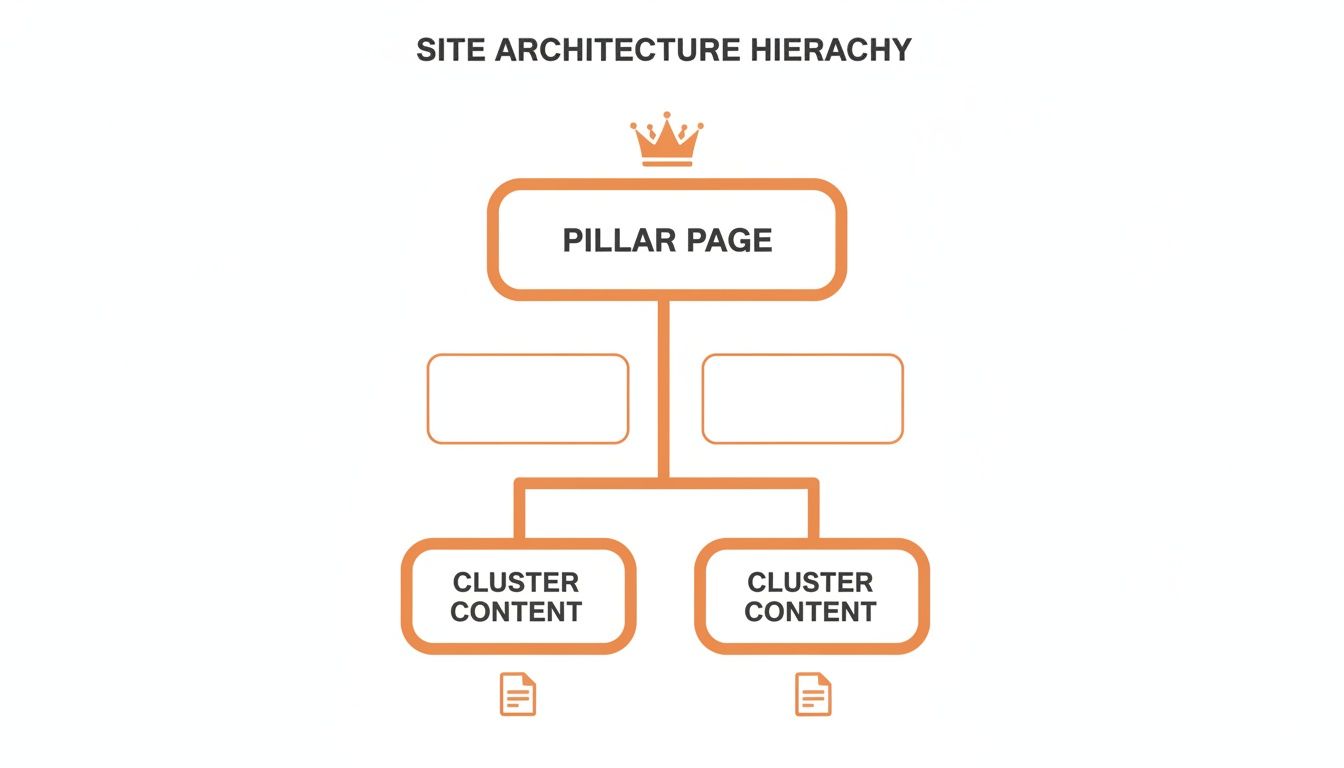
As shown, the pillar page acts as the central hub. Contextual links from cluster content, using well-chosen anchor text, channel authority and topical relevance directly to your most important pages. Your site structure becomes a strategic asset.
Internal Linking Strategies for SaaS, E-commerce, and B2B
An effective internal linking strategy is not one-size-fits-all. It must be tailored to your business model and customer journey to drive revenue. The goal is to turn links into a silent sales team.
Think of your internal links as a silent, digital sales team. They should anticipate a user's next question and guide them to the most logical next step—whether that's a related product, a key feature page, or a demo request form.
Let's break down actionable playbooks for common business models.
The E-commerce Playbook
Goal: Increase product discovery and average order value (AOV). Metric: AOV, conversion rate from category pages.
- Tactics:Category-to-Product Links: Ensure your main category pages link to top-selling and high-margin products to pass authority.
- "Related Products" & Bundles: On every product page, implement "frequently bought together" or "customers also viewed" sections. Amazon attributes up to 35% of its revenue to this cross-selling tactic.
- Breadcrumb Navigation: Implement clear breadcrumbs (
Home > Category > Product) on every page. This improves user experience and builds a clean, hierarchical link structure for Google.
For a deeper dive into how internal linking boosts e-commerce SEO, you can be exploring these insights on Moz.com.
The SaaS Playbook
Goal: Convert problem-aware traffic into product-aware leads. Metric: Trial sign-ups, demo requests from content.
- Tactics:Blog-to-Feature Links: Every blog post solving a user problem should have a contextual link to the specific product feature that offers the solution. This is a core part of a successful SaaS marketing strategy.
- Topic Clusters Around Use Cases: Structure content around your product's core use cases. A pillar page on "Team Collaboration" should link to cluster articles about specific features like "Shared Inboxes" or "Project Timelines."
- Knowledge Base to Upgrade Links: Your help center is an SEO asset. Link from "how-to" articles to pages detailing advanced features, guiding users from support to an upsell opportunity.
The B2B Playbook
Goal: Build trust and guide prospects through a long sales cycle. Metric: Marketing Qualified Leads (MQLs), demo-to-close rate.
- Tactics:Thought Leadership to Gated Assets: Link from blog posts and articles to high-value, gated assets like whitepapers or industry reports to capture lead information.
- Case Study to Service Pages: Every case study showcasing results must link directly to the specific service page that delivered those results. This bridges the gap between proof and purchase.
- Webinar to Demo Links: After a webinar, guide attendees directly to a "Request a Demo" or "Speak with an Expert" page using clear calls-to-action in your follow-up materials and on the webinar landing page.
At Ezca, our teams build these custom linking frameworks because we know every business model is different. This is how internal linking in HTML stops being a checklist item and starts becoming a direct engine for business growth.
How to Audit Your Internal Links for Maximum ROI
A great linking strategy is only as good as its execution. An audit is a strategic hunt for technical issues that are costing you revenue and suppressing your SEO performance. This is where you find and fix critical errors like broken links (404s) and orphaned pages that are invisible to search engines.
Fixing these issues unlocks immediate SEO potential. For example, by fixing broken internal links on key service pages, one of our clients recovered an estimated $5,000 in monthly lead value that was previously being lost to 404 pages.
An internal link audit is like a quarterly performance review for your website's architecture. It shows you what's working, what's broken, and where a few small tweaks can have a massive impact on your bottom line.
Prioritization is key. A broken link on a high-traffic service page is a bigger fire to put out than one on an old blog post. A smart audit focuses on fixes that deliver the biggest business impact first.
A Simplified Audit Process
While a full analysis can be complex, you can achieve significant gains by focusing on high-impact issues. Tools like Google Search Console (free) and Ahrefs' Site Audit (paid) are invaluable for this process.
Here’s a step-by-step approach for your team:
- Find and Fix Broken Internal Links (404s): Run a site crawl and export a list of all "404 Not Found" errors. These are top priority. Start by fixing the broken links on your most valuable pages: homepage, service/product pages, and top-performing content.
- Identify Orphaned Pages: These are pages with zero internal links pointing to them. Google can't find them, so they generate no value. Your audit tool will list them. For each orphaned page, find 2-3 relevant, authoritative pages on your site and add contextual links to it.
- Analyze Click Depth: Are your key money pages buried more than three clicks from the homepage? These "deep" pages receive less link equity and are seen as less important by Google. Re-evaluate your internal linking in HTML to create shorter, more direct paths from your main navigation or pillar pages.
This quarterly checklist is a streamlined version of the in-depth audits our team at Ezca performs for clients like Stripe and Samsung. By implementing these steps, you can maintain a healthy site architecture and realize immediate SEO gains.
Frequently Asked Questions
As a business leader, you need clear, direct answers. Here are solutions to common questions about internal linking.
How Many Internal Links Should Be on a Page?
There is no magic number. The guiding principle should be user value, not an arbitrary quota.
While Google's crawlers may pay less attention after about 150 links on a page, you'll rarely need that many. A practical benchmark is 5-10 relevant, contextual internal links per 1,000-2,000 words. Add a link only when it genuinely helps the user by providing context or a logical next step. Quality always trumps quantity.
What Is the Difference Between an Internal Link and a Backlink?
Understanding this is fundamental to SEO strategy. The difference comes down to control and purpose.
- Internal Links: Links connecting pages on the same domain. You have 100% control over their placement and anchor text. Their primary purpose is to guide users and distribute existing authority throughout your site.
- Backlinks (External Links): Links from another website to your site. You do not control them. They act as third-party votes of confidence, building your domain's overall authority and reputation with search engines.
Here's a simple way to think about it: backlinks are what build your site's overall reputation in the eyes of Google. Internal links are how you strategically use that reputation to boost the pages that matter most to your business.
Should I Automate Internal Linking?
Automation can be a powerful ally, but a hybrid approach delivers the best ROI.
Automated tools and plugins are excellent for handling foundational linking at scale, such as generating "related products" on an e-commerce site or suggesting initial links between blog posts. This saves significant time.
However, your most strategic, high-value links—those that drive conversions by moving a user from content to a demo form or from a case study to a service page—should always be placed manually. This human oversight allows you to craft the perfect anchor text and context to maximize impact and revenue.
Ready to turn your website's architecture into a revenue-driving machine? Ezca Agency combines human expertise with data-driven insights to build internal linking strategies that deliver measurable growth. See how our 90-day sprints can transform your SEO at https://ezcaa.com.