
How to Start Advertising on Facebook: Your 2026 Guide
Learn how to start advertising on Facebook with our 2026 guide. Step-by-step setup, strategy, creative, and when to hire an agency.
You are in one of two places right now.
Either you’ve opened Meta Ads Manager, seen a maze of campaign settings, attribution options, and targeting controls, and closed the tab because wasting budget feels more likely than winning. Or you’ve boosted a few posts before, got activity that looked promising, and still couldn’t tie the spend back to pipeline, purchases, or qualified leads.
That’s the starting point for most businesses learning how to start advertising on facebook. Not a blank slate. A mix of opportunity, skepticism, and a healthy fear of burning money.
The good news is Facebook ads are not random when the account is built correctly. The bad news is they punish sloppy setup, weak tracking, and undisciplined testing. If you treat the platform like a growth system instead of a one-off campaign tool, it becomes much more predictable.
Why Facebook Ads Are Still a Growth Engine in 2026
A founder comes in after spending five figures on Google, LinkedIn, and boosted posts, with traffic up and revenue flat. In a lot of those accounts, Facebook is the channel they wrote off too early.
I see the same pattern with high-value clients. The platform gets blamed for results that were caused by weak tracking, poor offer positioning, slow creative testing, or campaigns optimized for the wrong event. Facebook still works because Meta can distribute creative at huge scale, learn from conversion behavior quickly, and optimize toward a business outcome if the account is set up correctly.
That matters for brands that need more than awareness. Facebook can support first-touch prospecting, mid-funnel education, retargeting, and direct conversion inside one buying system. For many businesses, that means fewer handoff points and fewer places for attribution to break.
Why the platform still works
Meta Ads Manager gives advertisers four things in the same environment: broad reach, strong intent modeling, multiple creative formats, and bidding controls tied to a defined conversion goal.
That combination makes Facebook useful across very different sales motions:
- E-commerce sales with catalog ads, offer-led creative, and conversion-focused landing pages
- SaaS lead generation using trials, demos, webinars, or lead magnets tied to qualified follow-up
- B2B demand capture through retargeting, lead forms, and nurture paths for longer buying cycles
The trade-off is clear. You get range and scale, but only if the account feeds Meta clean signals and enough budget to learn. If it does not, delivery drifts toward cheaper actions that look good in-platform and underperform in the CRM.
Facebook is still one of the clearest paid channels for turning attention into measurable pipeline or revenue. Poor setup makes it look random.
For brands planning serious paid social investment, a Facebook and Instagram ads management service can shorten that learning curve and prevent expensive errors in the first few weeks.
The complexity is real, but manageable
The platform feels complicated because each setting changes who sees the ad, what action Meta optimizes for, and how fast the system gets usable data.
Choose the wrong objective and delivery will chase the wrong behavior. Build an audience that is too narrow and CPMs rise before you have enough data to judge the offer. Launch with a budget that is too low and the campaign never exits the learning phase with confidence. Those are not edge-case mistakes. They are common first-launch failures.
Experienced buyers handle that by reducing variables. They do not treat the first campaign as a verdict on the channel. They treat it as the start of a controlled testing cycle.
A better frame for first-time advertisers
The cleanest way to start is a 90-day sprint with clear decision points.
That does not mean waiting three months for results. It means giving the account enough time to validate the fundamentals in the right order, instead of forcing scale before the offer, creative, and conversion path have proven they can hold.
In my experience, many businesses lose money on Facebook because they expect immediate scale from untested ads and incomplete data. Strong operators spend the first part of the sprint buying information. They identify what converts, what stalls, and where CAC starts to rise before they increase budget.
Used carelessly, Facebook gets expensive fast. Used as a disciplined performance system, it remains one of the strongest channels for building repeatable growth in 2026.
Building Your Unbreakable Ad Foundation
The first Facebook ad isn’t the campaign. It’s the infrastructure.
If the account setup is wrong, attribution breaks. If attribution breaks, optimization gets distorted. If optimization gets distorted, you end up pausing ads that are helping and scaling ads that only look good inside the platform.
Start with Business Manager, not a personal shortcut
The correct setup starts in Meta Business Manager.
To begin advertising, create a free Meta Business Manager account, which centralizes ad management across Facebook, Instagram, and other properties. Then set up an ad account inside Business Manager, verify your payment method, and choose the right currency and time zone, as outlined in this Facebook advertising setup reference.
That sounds basic, but it’s where many early problems begin. Businesses often run ads from the wrong profile, use a loosely controlled ad account, or set a billing structure that becomes messy once multiple people touch the account.
A clean setup gives you:
- Ownership control so the business, not an employee or freelancer, owns the assets
- Billing clarity for finance and reporting
- Operational stability when multiple stakeholders need access
- Policy alignment so the account is structured the way Meta expects
If your team needs support beyond setup, this is also the point where many brands bring in dedicated social ads management support to avoid rebuilding the account later.
Connect the assets that matter
Before you launch anything, connect the essentials:
- Facebook Page
- Instagram account if you’ll use cross-platform placements
- Ad account
- Payment method
- Domain
- Website tracking setup
Businesses usually rush to creative before these are locked down. That’s backwards. Asset control comes first.
Install the Pixel and validate events
The next essential step is the Meta Pixel.
The Pixel is the JavaScript snippet that tracks actions on your site such as page views, leads, and purchases. The same setup guidance notes that Pixel installation is what enables optimization based on real business outcomes instead of surface-level engagement.
Add Conversions API for cleaner data
Pixel-only setups are fragile. Browser-based tracking can miss events, especially when privacy controls or device limitations interfere with attribution.
That’s why serious advertisers also implement Conversions API, often called CAPI. It gives Meta another path to receive conversion signals, which improves the reliability of measurement and bidding.
You don’t need to overcomplicate this. What matters is that your event flow is consistent and deduplicated. If the Pixel says one thing and server-side events say another, your reporting gets noisy fast.
Practical rule: If you can’t trust your purchase, lead, or trial event, don’t trust your CPA or ROAS either.
Map events to the business model
Different business models need different event priorities.
E-commerce accounts
Focus on product-view, add-to-cart, initiate-checkout, and purchase tracking. If these events are missing or firing incorrectly, product campaigns will optimize toward weak signals.
SaaS accounts
Map the funnel around trial starts, booked demos, qualified signups, or activation events. A generic page view won’t help Meta find high-value users.
B2B lead gen accounts
Track form submits, meeting bookings, and high-intent content actions. If the CRM says a lead was junk, that should shape optimization logic later.
Check the setup before spending
Before launch, manually verify:
- Does the Pixel fire on the right pages
- Do key events trigger once, not multiple times
- Is the correct domain connected
- Are payment settings stable
- Are business details accurate
- Do page permissions match the people working on the account
This is not glamorous work. It’s also the reason some accounts scale while others keep “testing” forever without learning anything useful.
The foundation should feel boring. That’s a good sign. Stable accounts are usually boring at the infrastructure layer and aggressive at the optimization layer.
Architecting Your First Profitable Campaign
A first launch usually fails in a predictable way. The account is set up, the ads go live, clicks come in, and the business still does not see profitable movement. In most cases, the problem is not the button you clicked in Ads Manager. It is weak campaign architecture.
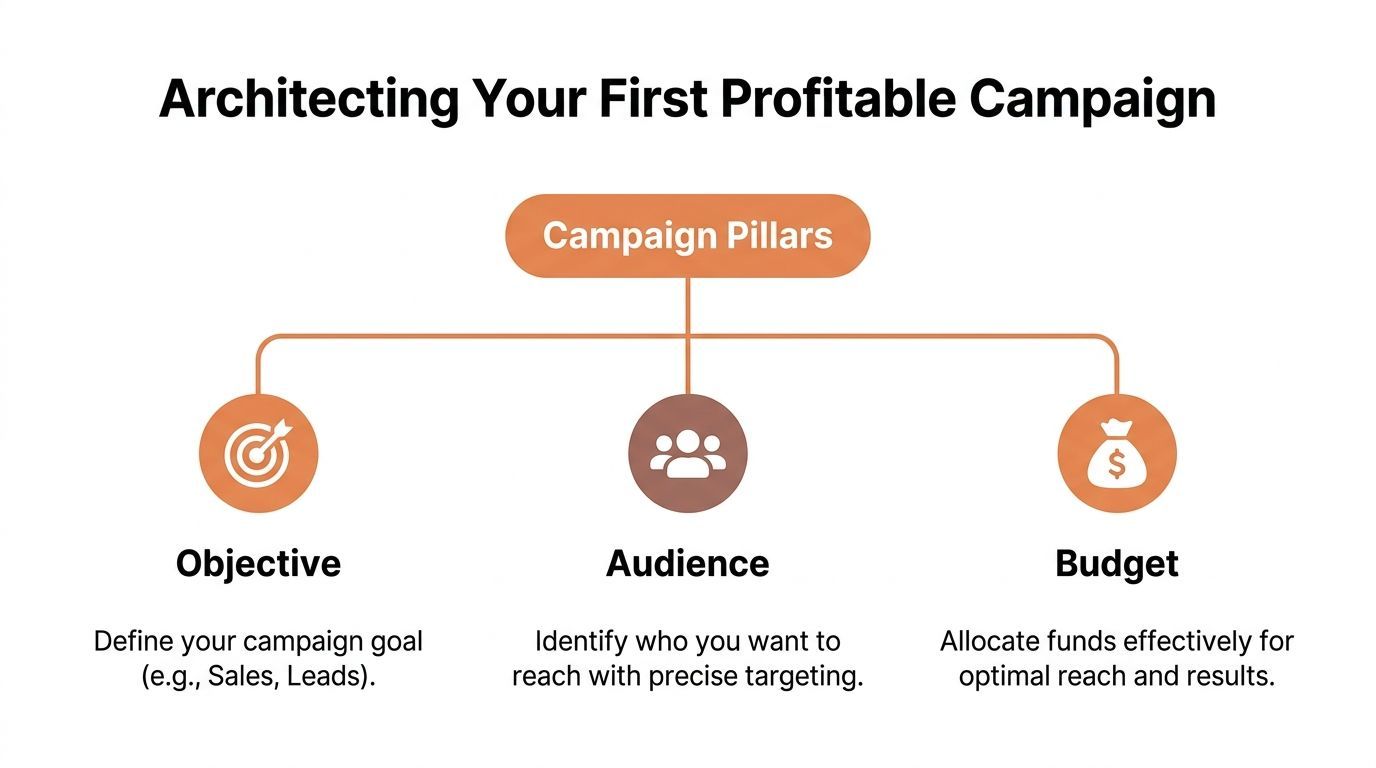
Profitable Facebook campaigns are built on three choices: objective, audience, and budget. Those decisions shape what Meta learns, who it reaches, and how fast you get usable signal in the first 90 days.
Pick the objective that matches the business goal
Meta optimizes for the result you select. If you choose the wrong objective, the platform will still do its job. It will just do the wrong job efficiently.
Use the objective tied closest to revenue or qualified pipeline.
The trade-off is simple. Revenue-focused objectives often look more expensive at the start, but they train the system on business outcomes that matter. Traffic campaigns usually produce cheaper surface-level metrics and weaker commercial intent.
A common early mistake is choosing Traffic because it feels lower risk. In practice, that often leads to paying for visitors who bounce, skim, or never return. Cheap clicks are only useful if they become qualified actions later.
Build audiences in layers, not guesses
Start with intent. Expand after the account shows it can convert.
That means separating audiences into three groups: warm, modeled, and broad. This structure fits a 90-day sprint because it gives you a controlled way to learn. You begin where signal is strongest, then widen the pool once results justify it.
Warm audiences first
These are the first groups I want active in a new account if enough volume exists:
- Website visitors
- Add-to-cart users
- Email subscribers
- Past leads
- Previous customers, when repeat purchase or upsell is relevant
Warm audiences rarely scale the whole account, but they are often the fastest way to confirm whether the offer, landing page, and creative can convert at all. If warm traffic does not respond, broad expansion usually just increases wasted spend.
Lookalikes next
Lookalikes help bridge the gap between small retargeting pools and true acquisition. Their value depends on seed quality more than audience tinkering.
Good seed examples:
- An e-commerce brand uses past purchasers
- A SaaS company uses activated users or booked demos
- A B2B advertiser uses qualified opportunities instead of raw form fills
If the source list is weak, the lookalike usually mirrors that weakness. High-volume low-quality leads create high-volume low-quality targeting.
Broad targeting after signal builds
Broad targeting can work well once Meta has enough conversion feedback and your creative is clear. It is less reliable on day one, especially for accounts with limited historical data or unclear positioning.
If the launch plan is broad targeting with no audience logic behind it, the account usually burns budget while trying to solve a messaging problem through targeting.
Set a budget that can produce a decision
Underfunded campaigns do not fail gracefully. They stall, reset, and leave you with inconclusive data.
The budget needs to support enough conversion opportunities to judge performance inside a realistic window. For a first launch, I usually care less about hitting an arbitrary daily number and more about whether the spend can answer a useful question in 7 to 14 days. Can this audience convert? Can this offer hold CPA? Does this landing page deserve more traffic?
Budget against your economics, not your comfort level.
Match budget to model
For e-commerce
If average order value, margin, and tracking are in good shape, start with purchase-focused campaigns. Judge performance against contribution margin, not just in-platform ROAS. Shipping costs, discounts, refunds, and first-order profitability all matter.
If you operate in a product-led niche, this practical guide to Facebook Ads for Dropshipping is useful because it covers the offer and creative constraints that affect lower-friction e-commerce campaigns.
For SaaS
Trial and demo campaigns usually outperform generic traffic campaigns because they create cleaner optimization signals. The right event depends on how your funnel works after the click. If free trials generate volume but poor activation, optimize deeper when possible and judge success against pipeline quality, not signup count alone.
For B2B
B2B accounts need more patience and tighter sales feedback loops. Form volume can rise while lead quality falls. Set spend levels that give the campaign time to gather signal, then review against booked meetings, qualification rate, and eventual opportunity creation.
Keep bidding simple early
New advertisers lose time trying to outsmart the auction before they have a proven offer, audience, or creative angle. Automated bidding is usually the right starting point. It gives the system room to find inventory while you focus on the parts that move performance more in the first sprint.
Manual controls become more useful after you have clear baselines.
Strong first campaigns are usually straightforward:
- The objective matches the business outcome
- The audience is prioritized by intent
- The budget is high enough to generate a real learning cycle
That is what makes a first campaign profitable, or at least informative enough to improve quickly. In a well-run 90-day sprint, the first launch is not the finish line. It is the first controlled test in a system built to scale.
Developing Winning Creatives and Testing Structures
Most struggling Facebook accounts do not have a targeting problem first. They have a creative problem.
The audience can be right. The objective can be right. The budget can be reasonable. If the ad doesn’t stop the scroll and create immediate relevance, performance stays weak and costs rise.
Creative has one job first
The first job of creative is not persuasion. It’s attention from the right person.
That means the opening frame, first line, and offer context need to make sense fast. Vertical video usually gives you more room to do that because it occupies more visual space and fits modern placement behavior better than static formats in many accounts.
The practical standard:
- Lead with the problem, use case, or outcome
- Show the product or service early
- Keep the call to action obvious
- Match the ad to the audience’s awareness level
Cold prospects need clarity. Warm audiences need reasons to act now. Hot audiences need friction removed.
Match the message to audience temperature
A lot of advertisers write one ad and expect it to work across every audience. It usually won’t.
Cold audiences
Focus on pain points, differentiated positioning, and category education. They don’t know you yet, so social proof and clear framing matter more than brand familiarity.
Warm audiences
Use testimonials, objection handling, comparison angles, or offer framing. These users have context already. The job is to convert interest into action.
Hot audiences
Retarget abandoners, form starters, or recent site visitors with direct, low-friction creative. Here, reminders, proof, and urgency can outperform broad brand messaging.
Better media buying cannot rescue a weak angle. The ad has to earn the click.
Use a testing structure that forces learning
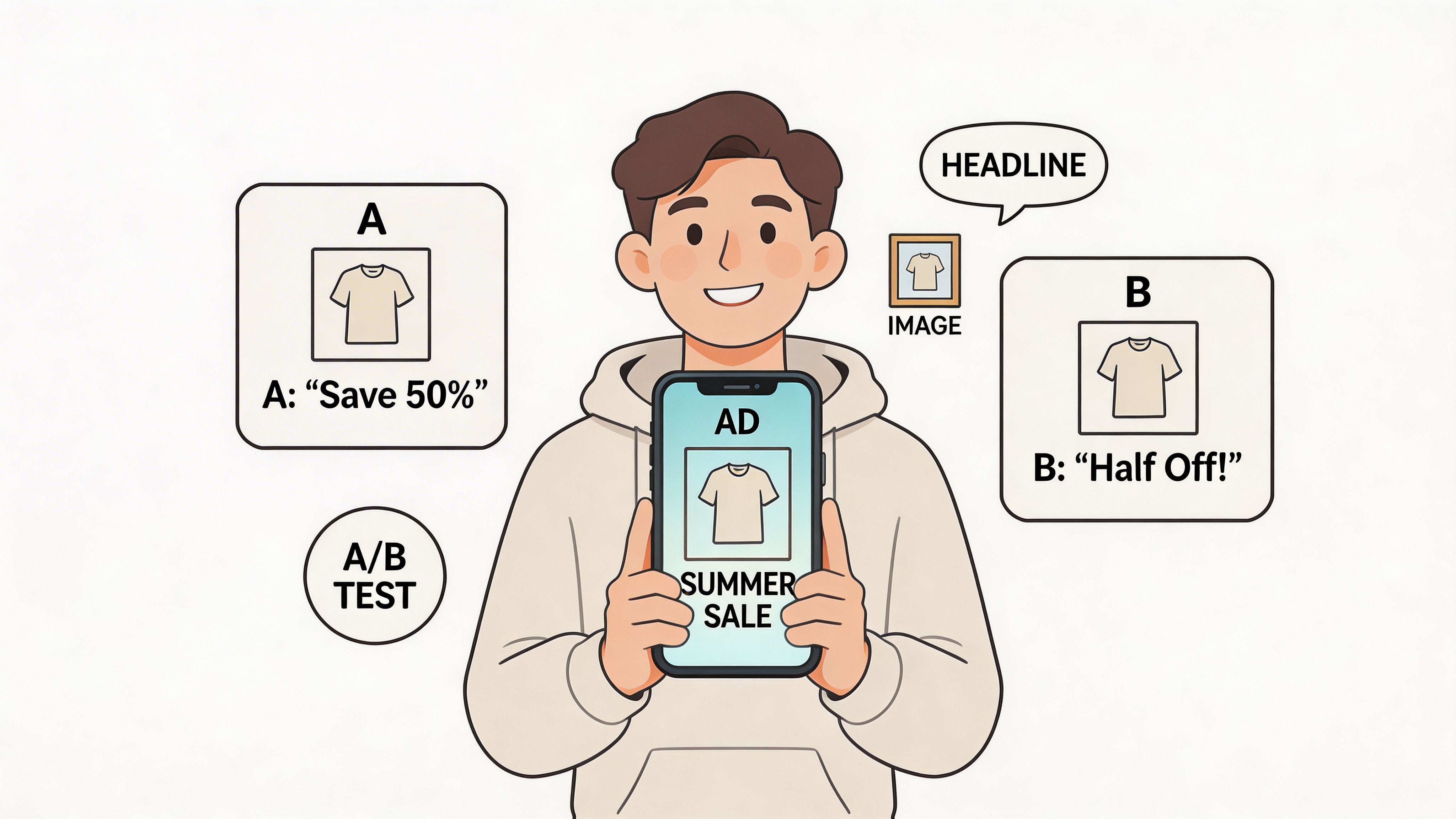
A common pitfall is poor testing structure. A proven framework is to launch 3 ad sets per campaign such as broad, lookalike, and interest-stacked, with 4 creatives in each ad set. Then scale winners after 50 conversion events. That setup can drive up to 4x ROAS in a 90-day sprint, and Advantage+ Shopping Campaigns can reduce CPA by 20 percent for e-commerce, according to Buffer’s Facebook ads beginner guide.
That framework works because it does two things well:
- It separates audience testing from creative testing well enough to read patterns.
- It creates enough variation to identify what Meta prefers delivering.
What to test first
Don’t test tiny copy edits before you test major angle differences.
Start with:
- Hook variation such as problem-led, benefit-led, or proof-led openings
- Format variation like vertical video versus static image or carousel
- Offer framing such as free trial, demo, discount, bundle, or consultation
- Audience-message fit where each ad speaks to a distinct buyer segment
For teams producing video at scale, this guide on How to Create AI Video Ads That Convert: A Complete Marketing Guide is useful because it focuses on workflow and conversion thinking, not just editing tricks.
A simple creative scorecard
Use this kind of internal review before launch:
| Creative element | What good looks like | What usually fails | |---|---| | Hook | Problem or outcome is clear immediately | Generic lifestyle intro | | Visual | Product, proof, or use case appears early | Abstract brand footage | | Copy | Specific and easy to scan | Clever but vague language | | CTA | One clear next step | Multiple competing actions |
A lot of weak ads fail because they try to be polished instead of useful. Useful usually wins.
Keep changes disciplined after launch
One of the most expensive habits in Facebook advertising is constant interference. Teams launch ads, see mixed early numbers, and start editing every few hours.
That resets learning, muddies the read, and makes it harder to know what improved performance.
Give the structure enough room to produce a signal. Then cut obvious losers, isolate patterns, and feed more budget to combinations that show both efficiency and business quality.
A useful walkthrough on ad analysis and setup is below. Watch it after you’ve built the campaign structure so you can compare your account against a more disciplined launch process.
Creative testing is not advanced media buying. It is media buying. Accounts that accept this early usually waste less time blaming audiences, placements, or bidding for problems that start in the ad itself.
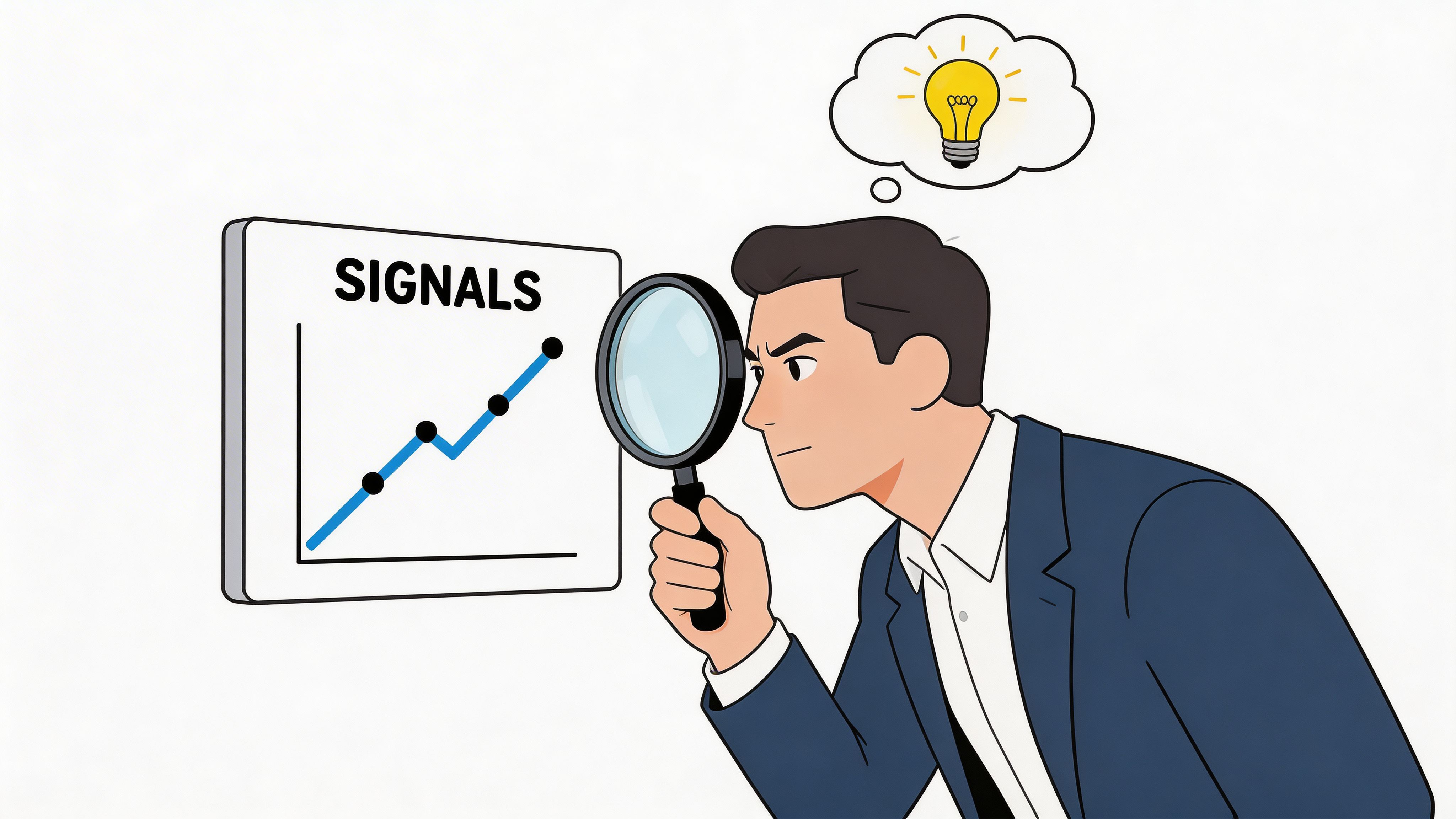
Reading the Signals Measurement and Troubleshooting
Day three after launch is where expensive mistakes start. Spend is going out, early conversions look uneven, and someone wants to rewrite the ads, change the audience, and swap the landing page before the account has produced a clean read.
That is how teams lose signal.
Once campaigns are live, the job is diagnosis. The goal is to identify which part of the system is breaking first, then fix that layer without disturbing everything else.
Start with business outcomes, then inspect platform metrics
Ads Manager can bury you in numbers. A first launch needs a tighter view.
Track the metric that maps to the commercial goal first:
- CPA for leads, trials, booked calls, or purchases
- ROAS if revenue tracking is clean enough to trust
- CTR to judge whether the ad earns attention
- CVR to judge whether the click turns into action after the landing page visit
Benchmarks can help with orientation, as noted earlier in the article, but they should not drive decisions account by account. I care more about trend direction, conversion quality, and whether economics improve over a 7 to 14 day window than whether a campaign matches a published average.
A high CTR with weak lead quality is not progress. A rising CPA with stronger close rates might be.
Read failures by funnel stage
Troubleshooting gets easier when you stop asking whether the campaign is good or bad. Ask where performance breaks.
Spend is climbing, but clicks stay weak
The problem usually sits in the ad. Weak hooks, unclear offers, poor visual hierarchy, or creative fatigue are more likely than an audience issue at this stage.
Check thumb-stop rate, first-line copy clarity, and whether the visual shows the product, outcome, or proof fast enough.
Click volume looks healthy, but conversion rate is weak
The ad did its job. The landing page or offer probably did not.
Review message match first. Then check page speed, form length, trust elements, mobile layout, and whether the page continues the promise made in the ad. I see this often with brands that write strong ad copy, then send traffic to a generic page built for everyone.
CTR is acceptable, but CPA is still too high
That usually means low-intent users are clicking. The fix is better qualification, not just cheaper traffic.
Tighten the promise in the ad, call out who the offer is for, and optimize toward a stronger downstream event if volume supports it.
Leads are cheap, but the sales team rejects them
This is a pipeline quality problem. Media can create it, and media should help fix it.
Adjust form fields, qualification language, and conversion priorities so Meta gets feedback tied to revenue, not just form completions.
Account health affects delivery more than many teams expect
Many in-house teams still treat business verification, policy hygiene, and event setup as back-office tasks. In practice, these issues can suppress delivery, trigger disapprovals, and slow learning before you have enough clean data to judge creative or audience performance.
That matters in a 90-day sprint. Week one is for clean setup. Weeks two through four are for learning. If the account spends that period fighting preventable compliance issues, the whole testing cycle gets delayed.
The same principle applies to measurement. If Pixel events, server-side tracking, or CRM feedback are unreliable, optimization drifts toward the wrong user behavior.
Use a fixed troubleshooting order
Keep the review sequence consistent every time performance slips:
- Account health: business verification, policy status, rejected ads, billing issues
- Tracking integrity: core events firing correctly, deduplication working, attribution stable
- Creative response: CTR trend, hook fatigue, frequency, comments that reveal confusion
- Traffic quality: landing page engagement, bounce behavior, qualified click patterns
- Offer and page fit: message match, friction, proof, mobile usability
- Sales quality: lead-to-opportunity rate, close rate, refund rate, revenue by cohort
This order matters because it prevents random edits. Teams that start with audiences every time often miss the core issue, which is usually creative, page friction, or bad feedback loops.
If you want to see what structured Meta diagnosis looks like after the launch phase, this consumer app Meta scaling case study shows how disciplined analysis turns early signal into scalable growth.
The fastest way to waste budget is to solve the wrong problem. Good measurement protects the next 90 days, not just this week’s report.
Your First 90-Day Plan and When to Call for Backup
Most businesses don’t fail at Facebook because they lack access to tactics. They fail because they try to do everything at once, react too quickly, and never turn early tests into an operating system.
A 90-day sprint solves that. It gives you enough time to build signal, make informed decisions, and scale based on evidence instead of impulse.
Days 1 to 7
The first week is for setup quality and a controlled launch.
Your priority list is simple:
- Lock the account structure: Business Manager, ad account, payment method, page access, domain connection
- Validate tracking: Pixel, key events, and server-side event flow where available
- Build the first campaign structure: one clear objective, a few audience layers, and multiple creatives
- Launch without constant editing: let the account begin gathering signal
This is the stage where a lot of brands sabotage themselves by chasing cosmetic perfection. Don’t. You need a clean launch, not a masterpiece.
Days 8 to 30
This period is for learning, not ego.
Review the account with a narrow lens:
- Which creative angles earn clicks from qualified users
- Which audience segments produce the strongest conversion behavior
- Whether the landing page is supporting the ad or weakening it
- Whether low performance is a traffic issue or a conversion issue
During this window, resist the temptation to judge the whole channel from one ad. Judge variables separately.
A practical rule is to keep the account organized enough that you can answer basic questions fast:
- Is one hook outperforming all others
- Is retargeting carrying the account
- Are lookalikes adding quality scale
- Is one offer clearly stronger
Days 31 to 60
Now you start acting on evidence.
Cut what isn’t working. Duplicate or expand what is. At this point, many accounts finally become efficient because the weak variables have been removed.
Typical moves in this phase:
- Shift more budget toward proven audiences
- Refresh weak creatives using the best-performing angle
- Improve landing page alignment based on actual click behavior
- Separate prospecting from retargeting if they were blended too early
This is also the right moment to decide whether Facebook is a primary growth channel or one part of a broader acquisition mix.
Days 61 to 90
By now, the account should be telling you what kind of machine it wants to become.
You may expand placements, build stronger retargeting sequences, align CRM feedback with Meta optimization, or coordinate Facebook with email, CRO, paid search, and content.
That’s where operational maturity starts to matter more than isolated campaign skill.
A lot of leadership teams reach this point and realize the problem isn’t knowing what to do next. It’s having enough focused time and specialist depth to do it consistently. That’s the core tension behind the in-house versus agency decision, and this breakdown of in-house vs agency marketing is useful if your team is deciding where execution should live.
Signs you should bring in expert help
Some businesses should keep early Facebook management in-house. Others hit a ceiling fast.
You should consider outside support if:
- You’re spending heavily enough that mistakes are expensive. Small inefficiencies compound quickly.
- You’re running across several channels at once. Facebook performance often depends on landing pages, email follow-up, offer strategy, and CRO.
- You can launch campaigns but can’t break through a plateau. That usually means the issue is structural, not tactical.
- Your team can’t give the account regular attention. Facebook punishes neglect more than most owners expect.
- Sales quality and ad metrics don’t line up. That gap takes experienced diagnosis.
The biggest reason companies ask for help is not that they can’t publish ads. It’s that they want a repeatable system for growth, not a fragile account that depends on one person checking Ads Manager between other tasks.
A strong operator brings process. A strong agency should bring process plus pattern recognition across many accounts. That’s the difference between trying ideas and building a scalable paid acquisition engine.
If you’re serious about turning Facebook into a reliable growth channel, Ezca Agency can help. Ezca works with SaaS, e-commerce, and B2B brands in focused 90-day performance sprints, combining paid social, CRO, creative testing, and channel-level budget allocation to build systems that scale.