
Faceted Navigation SEO: Turning a Technical Risk into a Revenue Driver
Master faceted navigation SEO to fix crawl budget waste, index bloat, and duplicate content. Turn your filters into a powerful channel for traffic and revenue.

Faceted navigation—your site's filters—presents a high-stakes balancing act for any business leader. Get it right, and you provide a seamless user experience that guides customers to purchase. Get it wrong, and you can inadvertently sabotage your SEO, creating millions of near-identical pages that confuse search engines and tank your organic growth.
For marketing leaders and business owners, unmanaged facets aren't just a technical headache; they're a direct threat to revenue. This guide provides actionable, data-driven strategies to transform this risk into a powerful asset for customer acquisition.
Why Faceted Navigation Is Your Biggest SEO Risk and Opportunity
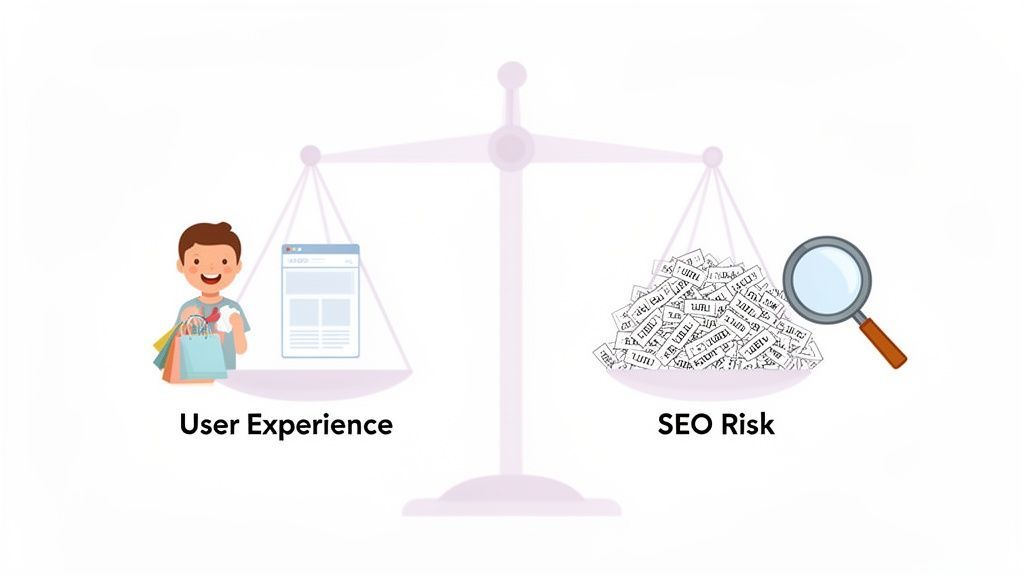
For any large e-commerce or SaaS business, faceted navigation is a paradox. From a user's perspective, it’s a brilliant feature. A shopper looking for "size 10 red running shoes" can click a few filters and instantly see the most relevant products. It’s a clean, fast conversion path.
Behind the scenes, it's an SEO time bomb. Every filter combination can generate a new, unique URL. Mix a few simple filters—color, size, brand—and you’ve created thousands of URL variations. Scale that across your entire catalog, and you're looking at millions of low-value pages.
The Business Cost of Unmanaged Facets
This URL explosion directly impacts your bottom line. We consistently see these three core issues cripple business growth:
- Wasted Crawl Budget: Google allocates a finite "crawl budget" to your site. If Googlebot wastes its time crawling thousands of thin filter pages, it will run out of resources before indexing your important, revenue-driving pages. New products and content get ignored.
- Index Bloat & Authority Dilution: When Google is forced to sift through a flood of nearly identical pages, it massively dilutes your site's authority. Your best content gets lost in the noise, making it nearly impossible for Google to identify which pages deserve to rank.
- Diluted Ranking Signals: Instead of all your SEO authority flowing to one strong category page, it gets spread thinly across countless weak variations. This leads to keyword cannibalization, where your own pages compete against each other for the same search terms.
Mishandling faceted navigation remains a top SEO killer for e-commerce growth. On major sites, crawlers can spend 40-60% of their budget on thin filter variants instead of high-conversion landing pages. Google even flags this as a generator of 'near-infinite' URLs that clogs its crawl queues. You can find a deeper dive into this crawl budget drain on raulrevuelta.com.
The good news? This risk is a massive opportunity. A smart strategy transforms this chaos into a finely tuned asset. By controlling which filter combinations are indexable, you can create new, highly targeted landing pages that capture valuable long-tail traffic and drive measurable ROI. An expert approach, like the data-driven audits we perform at Ezca, turns this liability into a strategic advantage.
1. Index Bloat and Authority Dilution
The first and most insidious problem is index bloat. Imagine a library with thousands of photocopies for every original book. It would be impossible to find the real thing. That’s what happens to Google when your site creates endless facet URLs for every combination of color, size, and brand.
This influx of nearly identical pages confuses search engines. Instead of one strong, authoritative page for "women's running shoes," Google must process countless weak variations like ?color=red, ?size=8, and ?brand=nike.
The result? Your site's authority gets watered down. All the ranking power that should be concentrated on your core category pages gets spread thinly across a sea of junk URLs, causing your entire site to look less credible in Google's eyes.
2. Crawl Budget Waste
Every site gets a crawl budget—the amount of attention Googlebot is willing to give you. When facets run wild, you burn through that budget at a frightening pace.
It's like giving a delivery driver a list with a million addresses when only a thousand are actual homes. Googlebot gets stuck in a maze of pointless facet URLs, wasting time and energy on pages that offer zero search value. It's not uncommon to see crawlers waste 40-60% of their budget on these thin, filtered pages.
This means your truly important pages—new products, critical service offerings, and high-value content—get crawled less often, if at all. Updates take forever to get indexed, and new content can't get traction, putting you at a huge disadvantage.
3. Duplicate Content and Keyword Cannibalization
Finally, this mess leads to keyword cannibalization, where your own pages compete against each other for the same keywords. When Google indexes multiple, near-identical facet pages, it has no idea which one is the "correct" version to rank.
For instance, a search for "red running shoes" might cause Google to consider all of these pages from your site:
- Your main category page:
/running-shoes/ - A filtered version:
/running-shoes/?color=red - A more specific filtered version:
/running-shoes/?brand=nike&color=red
When these pages fight for the same spot, they split your ranking signals. Instead of one page becoming strong enough to hit page one, you end up with three pages languishing on page five, invisible to potential customers.
At Ezca, our technical SEO audits often start here for a reason. Fixing these foundational issues is non-negotiable. By getting your faceted navigation under control, you stop the bleeding and start building a much stronger, more profitable organic presence.
Your Technical SEO Toolkit for Taming Faceted Navigation
We've seen the damage. Now, let's talk about the fix. As a business leader, you don't need to be a developer, but you must understand the tools available to direct your team effectively and protect your ROI. Each tool has a specific job in controlling how search engines interact with your site's filters.
Getting a handle on these controls is the difference between constantly putting out SEO fires and strategically guiding your site's growth.
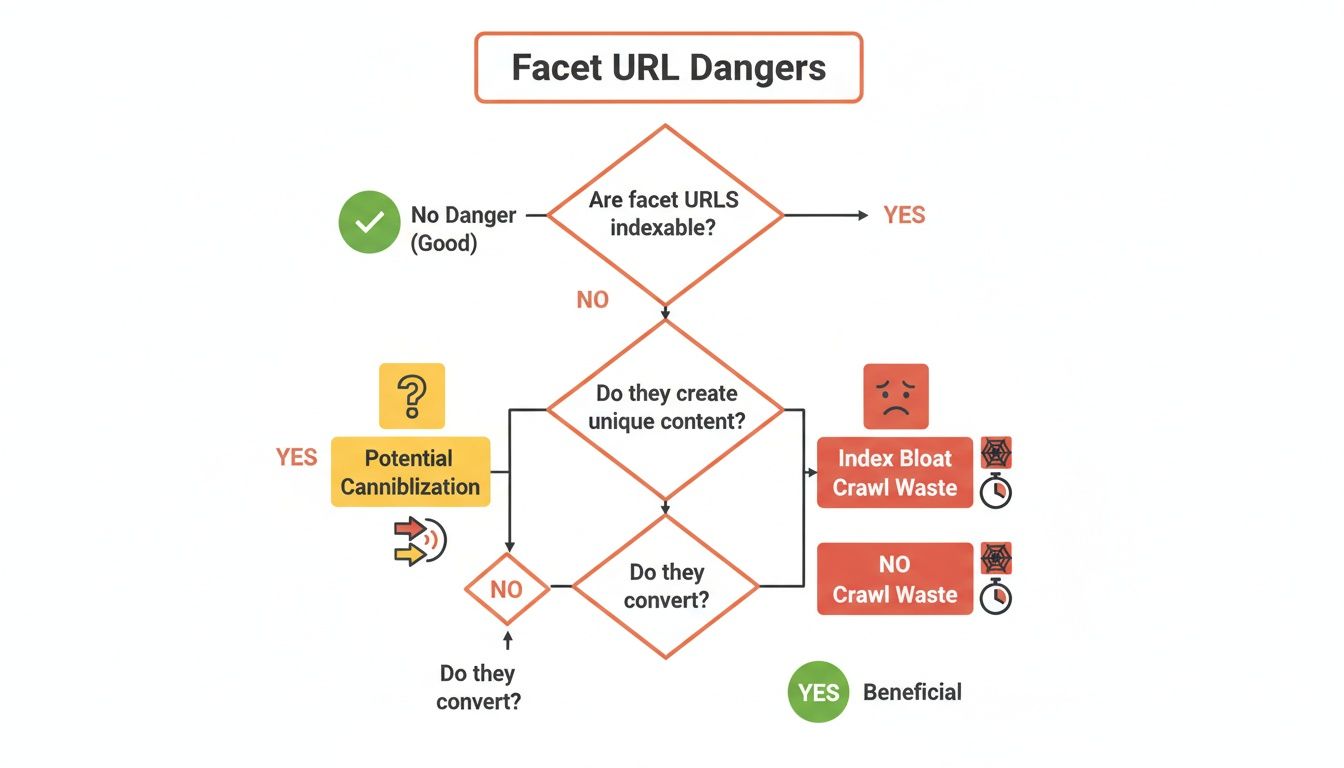
Let's break down the core tools you'll be working with.
The Canonical Tag: Your Scalpel for Duplicate Content
The rel="canonical" tag is your precision instrument. When a user applies a filter and creates a URL like ?color=blue, the canonical tag on that new page should point back to the main, unfiltered category page.
This tells Google to consolidate all ranking signals—like backlinks—from the filtered variations onto the one page you actually want to rank. It’s the single best way to fight keyword cannibalization and focus your SEO authority. However, it does not stop Google from crawling the filtered URLs in the first place.
The Noindex Tag: Your Bouncer for Search Results
The meta noindex tag is like a bouncer at a club. It lets Google crawl a page but firmly tells it, "You're not on the list." The page won't be added to Google's search results.
This is the most effective tool for cleaning up existing index bloat. Crucially, even though the page is hidden from search, Google can still follow links on it, allowing link equity to pass to other important pages. It's an excellent cleanup tool but still uses some crawl budget since Google must visit the page to see the noindex tag.
Robots.txt: Your Sledgehammer for Crawl Budget
The robots.txt file is your sledgehammer for preserving crawl budget. By adding a Disallow rule for your URL parameters (e.g., Disallow: /*?color=*), you put up a "Do Not Enter" sign for search engine crawlers.
This is the most direct way to stop them from wasting time on useless URLs. Be warned: a sledgehammer isn't a precision tool. It won't remove pages that are already indexed, and if other sites link to a blocked URL, it can still appear in search results without a title or description. Use it to prevent future crawling after you’ve cleaned up the index with meta noindex.
URL Parameters in GSC: Your Direct Line to Google
The URL Parameters tool in Google Search Console lets you give Google direct instructions. Here, you can tell Google that parameters like 'color' or 'size' don't create unique content, helping it learn to crawl your site more efficiently.
While these controls are central, a holistic technical SEO strategy is critical. Knowing how to change domain name on Shopify without losing rankings, for instance, is just as vital.
At Ezca, our 90-day sprints begin with a deep technical audit to identify the right mix of these controls for your business. This methodical approach delivers quick wins on crawl efficiency and sets the stage for building long-term authority.
Strategic Implementation for E-commerce and SaaS
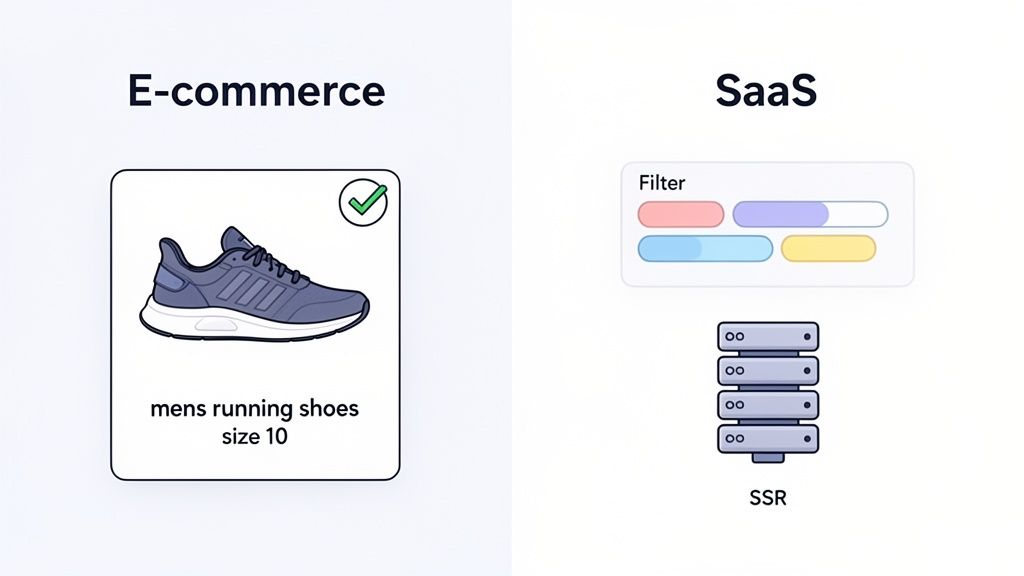
Now that we’ve covered the technical tools, let's talk business strategy. Stop seeing facets as a problem to be contained and start viewing them as a powerful tool for customer acquisition. It's about carving out new, direct paths for high-intent searchers to find exactly what they need.
The right game plan for your e-commerce strategy depends on your business model. The core principle is being surgical: you don't want search engines crawling random filter combinations. Instead, you hand-pick the valuable ones and turn them into SEO gold.
The E-commerce Playbook: Facet Whitelisting
For any e-commerce site, the winning strategy is facet whitelisting. It's a mindset shift from playing defense (blocking messy URLs) to playing offense (choosing which ones to index). You curate a list of specific, valuable filter combinations and tell Google, "These are real pages worth ranking."
A search like "men's waterproof hiking boots size 11" is not from a casual browser; it's from a buyer. By allowing the filtered URL for that exact combination to be indexed, you serve up a hyper-relevant landing page that perfectly matches their query, maximizing your conversion opportunity.
This is a data-backed process, not guesswork:
- Identify Search Demand: Use your keyword research tools and Google Search Console data to find patterns where users search for products using specific attributes (brand, color, size, feature).
- Ensure Sufficient Content: Before whitelisting a facet combination, confirm it has enough products to display. A page with only one or two items offers a poor user experience and won't rank well.
- Optimize the Page: Treat each whitelisted facet page as a dedicated landing page. It needs a unique
<h1>tag, meta title, and description. For example, a page for?type=hiking-boots&attribute=waterproof&size=11should have a title like "Men's Waterproof Hiking Boots in Size 11."
This selective approach transforms a swamp of low-value URLs into a portfolio of high-performing, long-tail landing pages that attract customers ready to buy.
The SaaS Blueprint: SSR and Resource Hubs
SaaS companies face a different challenge. The goal is guiding prospects to the right solution through feature comparisons, integration libraries, or pricing tiers. The biggest pitfall is client-side rendering (CSR) frameworks like React or Vue.js.
If your filters load content using JavaScript but don't change the URL, search engines are blind. They can't see, crawl, or index any of the filtered views, making your helpful resources invisible in search.
The solution is Server-Side Rendering (SSR). With SSR, every time a user applies a filter, the server generates a fresh, complete HTML page with a unique URL. This ensures Googlebot sees the exact same fully-loaded content as a user, making every important filtered state crawlable and indexable.
For instance, when we work with martech SaaS clients at Ezca, we analyze which filters signal purchase intent. A filter for "integrations with Salesforce" is a massive buying signal—that absolutely must be a server-rendered, indexable page. A simple sort filter for "newest," however, likely doesn't and can be kept from the index. This turns key comparison views into powerful customer acquisition channels. See our work with top e-commerce brands for more.
Measuring Success and Proving the ROI of Your SEO Strategy
An SEO plan for faceted navigation isn't just about cleaning up technical messes; it’s about directly boosting your bottom line. To get leadership buy-in, you must connect technical fixes to real business growth.
You're not just tidying up URLs. You're transforming a chaotic, inefficient system into a precision-guided machine that focuses Google's attention on the pages that actually make you money.
Core KPIs for Your Facet SEO Dashboard
To prove your efforts are paying off, track KPIs that tell a clear before-and-after story. These metrics are the proof you need to show your strategy is working. Focus on three areas: index health, crawl efficiency, and business results.
Index Health and Crawl Efficiency Metrics
The first signs of success will appear in your technical data. These are the leading indicators that Google is responding to your changes.
1. Index Health:
- Total Indexed Pages (Google Search Console): This is your main metric for fighting index bloat. After rolling out
noindextags and proper canonicals, you should see a significant, controlled drop. This is a win. - "Crawled - currently not indexed" Report: A spike here is often a good sign, showing Google is respecting your
noindexdirectives. Over time, this number should stabilize.
2. Crawl Efficiency:
- Crawl Requests (GSC Crawl Stats Report): The goal is a shift in where Googlebot spends its time. You want fewer crawl requests for low-value faceted URLs and a major increase for your core category and product pages.
- Server Log Analysis: This is the ground truth. Server logs show exactly which URLs Googlebot is hitting. A successful project will reveal a dramatic shift away from parameterized URLs and onto your clean, canonical pages.
The ROI is real. A home goods retailer we worked with slashed their indexed pages from 45,000 to 12,000 by fixing their facets. The result? A 34% boost in organic traffic in just three months because Google could finally focus its crawl budget on revenue-driving pages.
Tying Technical Wins to Revenue Growth
While a clean crawl report is great, the C-suite speaks the language of revenue. The final step is connecting that technical work to the numbers that matter to the business.
These KPIs prove the ultimate value of your work:
- Organic Traffic to Core Pages: As you consolidate authority, your main category and product pages will attract more organic traffic. This is a direct result of your cleanup efforts.
- Keyword Rankings for High-Intent Terms: Your "money" pages will climb the rankings for valuable keywords now that they aren't competing with useless variations.
- Organic Conversion Rate and Revenue: This is the ultimate test. A streamlined site and better UX on key pages should directly lead to a measurable lift in sales and leads from organic search.
At Ezca, our entire approach is built on delivering these tangible results. For one client, a strategic facet optimization plan led to a 34% traffic boost in just 90 days. We drew a straight line from technical cleanup to revenue growth, proving the incredible ROI of managing facets correctly. For more tips, check out our guide on how to increase organic traffic.
Common Faceted Navigation SEO Questions Answered
Even with a solid plan, faceted navigation can still throw some curveballs. Marketing leaders and business owners often have very specific, urgent questions. Here are the straight, no-fluff answers to the questions we hear most often, reinforcing the strategies we've covered.
Which Facet URLs Should I Allow Google to Index?
Only index the facet combinations that people are actually searching for. Focus on URLs with real search volume and clear user intent. These are your hidden long-tail keyword goldmines.
For example, if analytics show people are searching for "black leather crossbody bags," it's a brilliant move to create a dedicated, indexable page for that filter combination. That's a high-intent search you want to capture.
On the flip side, a page for ?color=black&material=leather&size=small is likely a dead end. Combinations with that many filters rarely have search demand and just create index bloat. Use tools like Google Search Console and Ahrefs to find queries that include specific product attributes and decide which are worth targeting.
At Ezca, our approach is to build a data-driven 'whitelist' of valuable facets. This means we're only spending your crawl budget on URLs that have a genuine shot at ranking and bringing in traffic that converts.
What Is the Difference Between Robots.txt and a Noindex Tag?
These two tools have very different jobs.
robots.txt is a 'Do Not Enter' sign. Using Disallow tells Googlebot not to crawl a page. This is great for preserving crawl budget, but it won't remove a page that's already in Google's index.
A meta noindex tag is a bouncer. It lets Googlebot in but tells it not to show the page in search results. This is the most effective way to remove existing low-value pages from the index.
A powerful strategy we use is a one-two punch:
- First, use
noindextags to clean up existing index bloat. - Once those pages are dropped from Google's index, add a
robots.txtrule to block them. This saves crawl budget long-term by preventing Google from visiting them again.
How Does JavaScript-Based Filtering Affect SEO?
If you're not careful, JavaScript filters can be an SEO black hole. Many modern sites use JavaScript for a slick user experience where products update instantly without a page reload. The problem starts when the URL doesn't change with the content.
If your filters swap out products but the URL stays the same (or only adds a hash fragment like #color=red), search engines can't see or index any filtered views. They only see the main, unfiltered page.
The proper solution is to ensure every valuable filtered view generates a unique, crawlable URL (like ?color=red). Crucially, your server must be able to deliver the full HTML for that filtered page. This approach, known as Server-Side Rendering (SSR), ensures both users and search engines see the same rich, relevant content, allowing your important facet pages to be indexed and ranked.
How Often Should I Audit My Faceted Navigation?
Conduct a deep faceted navigation audit at least annually, or during any major site redesign or platform migration. But don't set it and forget it. Constant monitoring is key.
We recommend a quarterly check-up in Google Search Console:
- Index Coverage: Look for sudden spikes in "Crawled - currently not indexed" pages. These are often the first red flags of a new facet issue.
- Crawl Stats: Watch for a jump in crawl requests for parameterized URLs. This can mean Googlebot has found a new crawl trap and is wasting resources.
Proactive monitoring helps you fix issues before they torpedo months of SEO work. It’s a key part of the 90-day sprints we run at Ezca because it stops small technical hitches from derailing major strategic goals. This vigilance ensures your faceted navigation remains a powerful asset, not a hidden liability.
Are you confident your faceted navigation is an asset and not a liability? At Ezca, our data-driven technical SEO audits and 90-day sprints are designed to turn your biggest SEO risks into revenue-generating opportunities. We help top brands consolidate authority, optimize crawl budget, and drive measurable growth.
See how our performance marketing agency can help you achieve your goals at https://ezcaa.com.