
Top 10 AI Driven Marketing Strategies for 2026
Explore 10 actionable AI driven marketing strategies for 2026. Get practical steps, tools, and examples for SaaS, B2B, and e-commerce growth.
AI in sales and marketing is projected to grow from $57.99 billion in 2025 to $240.58 billion by 2030, according to Automation Strategists’ market summary on AI and ML in sales and marketing. Budgets do not shift at that pace unless teams expect a return. For marketing leaders, the pressure is straightforward. Turn spend into pipeline, revenue, and retention faster than the team could with manual workflows alone.
Execution is still the bottleneck.
Many teams already have AI scattered across the stack. A copy tool sits with content. Reporting automation lives in ops. A chatbot handles a slice of site traffic. That setup can increase output, but it rarely improves how the whole marketing engine performs. In agency environments, I see the same pattern repeatedly. Results improve when AI is tied to one commercial constraint first, then rolled out in a fixed sprint with clear ownership, clean inputs, and a decision point at the end.
That is the lens for this article. These 10 ai driven marketing strategies are not presented as a tool roundup. They are framed as operators inside a 90-day sprint model, so a performance team can choose one use case, ship it, measure it, and decide whether to scale, revise, or stop. If your team needs a practical example of that operating style, this SaaS predictive lead scoring case study shows how faster implementation connects to lead quality and revenue outcomes.
The trade-off is real. AI can improve targeting, creative velocity, lead scoring, and channel efficiency, but only if the team accepts tighter process discipline. Bad conversion definitions, weak first-party data, and unclear handoffs will produce faster mistakes. Strong teams use AI to improve budget allocation and decision speed, not to add another layer of marketing noise.
Each strategy below is useful on its own. The primary upside comes from choosing the right one for the next 90 days, based on where revenue is currently getting stuck.
1. AI-Powered Predictive Analytics for Customer Acquisition
Predictive analytics earns its place early because it changes budget decisions, not just reporting.
When a SaaS company, e-commerce brand, or B2B team has enough historical conversion data, machine learning can help identify which audiences look most like future buyers, not just recent clickers. That’s the difference between buying cheap traffic and buying likely revenue.
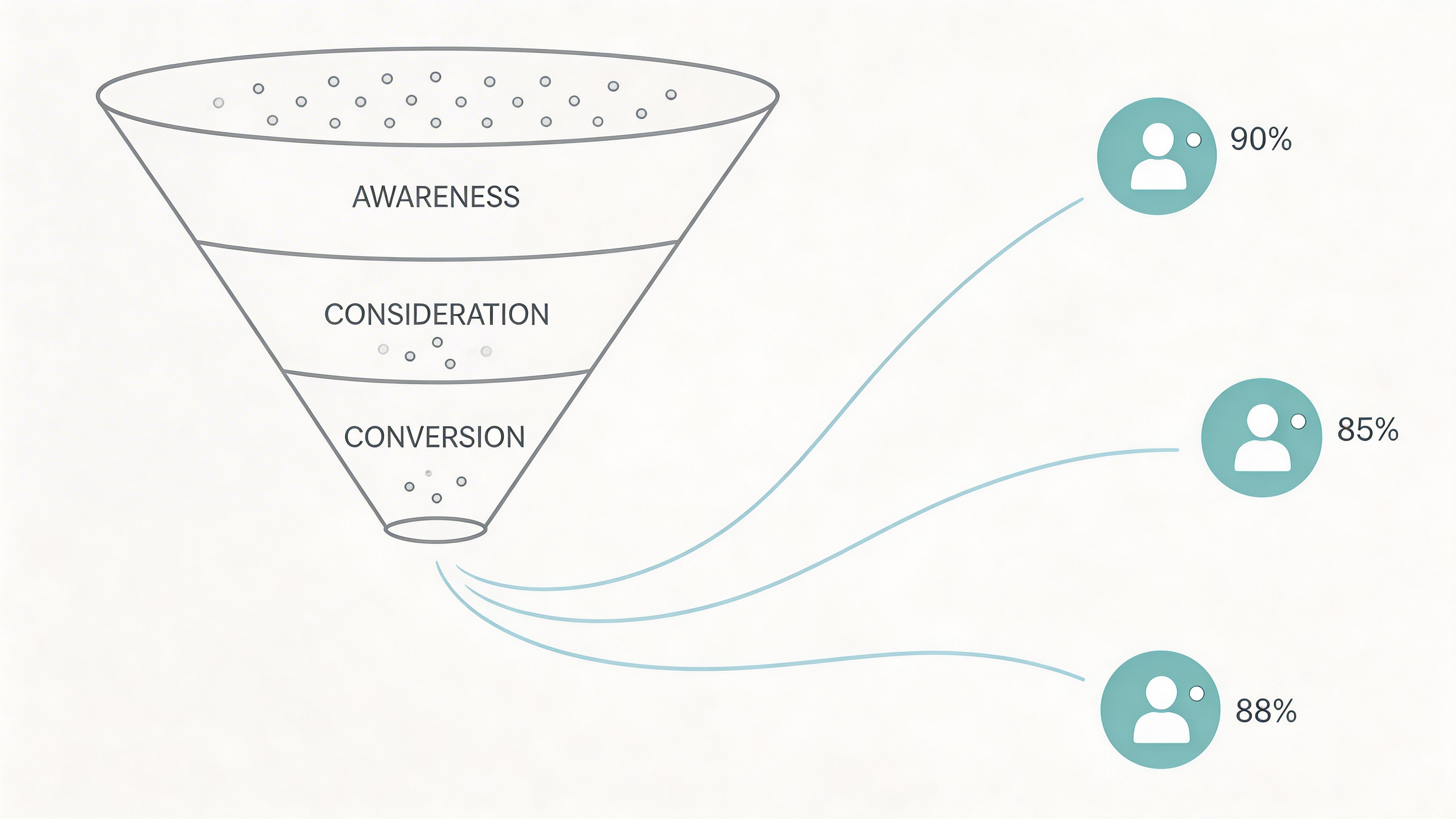
A familiar example is lead scoring in platforms like HubSpot, where sales teams prioritize contacts that show stronger buying signals. Stripe-like acquisition models can work similarly by identifying merchant or account patterns tied to stronger downstream value. In practice, this means your media team can stop treating every conversion as equal.
How to run it in a 90-day sprint
Weeks one to three should focus on data cleanup. Most predictive projects fail here, not in the model itself. If “qualified lead,” “demo booked,” “trial activated,” and “won account” aren’t defined cleanly, the model learns noise.
Weeks four to eight should test a narrow use case. Good starting points include paid search lead scoring, paid social audience prioritization, or sales-assist routing for inbound forms. Then compare model-driven recommendations against a holdout set before you trust it with more budget.
Practical rule: Start with your cleanest conversion event, not your most ambitious use case.
What works and what doesn’t
What works:
- Clean first-party data: CRM, ad platform, and product usage signals aligned to the same conversion definition.
- Weekly budget decisions: Use model outputs to shift spend toward channels and segments producing stronger downstream quality.
- Monthly model review: Drift happens fast when offer, seasonality, or channel mix changes.
What doesn’t:
- Feeding bad CRM data into a model: AI won’t rescue broken lifecycle stages.
- Optimizing only for top-of-funnel volume: That creates more leads for sales to reject.
- Treating the score as truth: It’s a decision aid, not a replacement for revenue review.
If you want to see how this plays out in a SaaS context, Ezca’s work on SaaS predictive lead scoring is the kind of sprint-based implementation model worth studying.
2. Dynamic Creative Optimization DCO with AI
Ad fatigue can drag down click-through rate and conversion rate within weeks, which is why DCO has become a working system, not a creative experiment, for paid teams managing volume across channels.
AI-driven DCO helps teams test more combinations of headlines, visuals, offers, and calls to action without rebuilding a campaign from scratch every time performance softens. The practical value is speed with structure. High-output teams use AI to expand controlled variations, then keep the winning patterns and cut the noise fast.
Place the visual where teams can immediately see the concept in action.
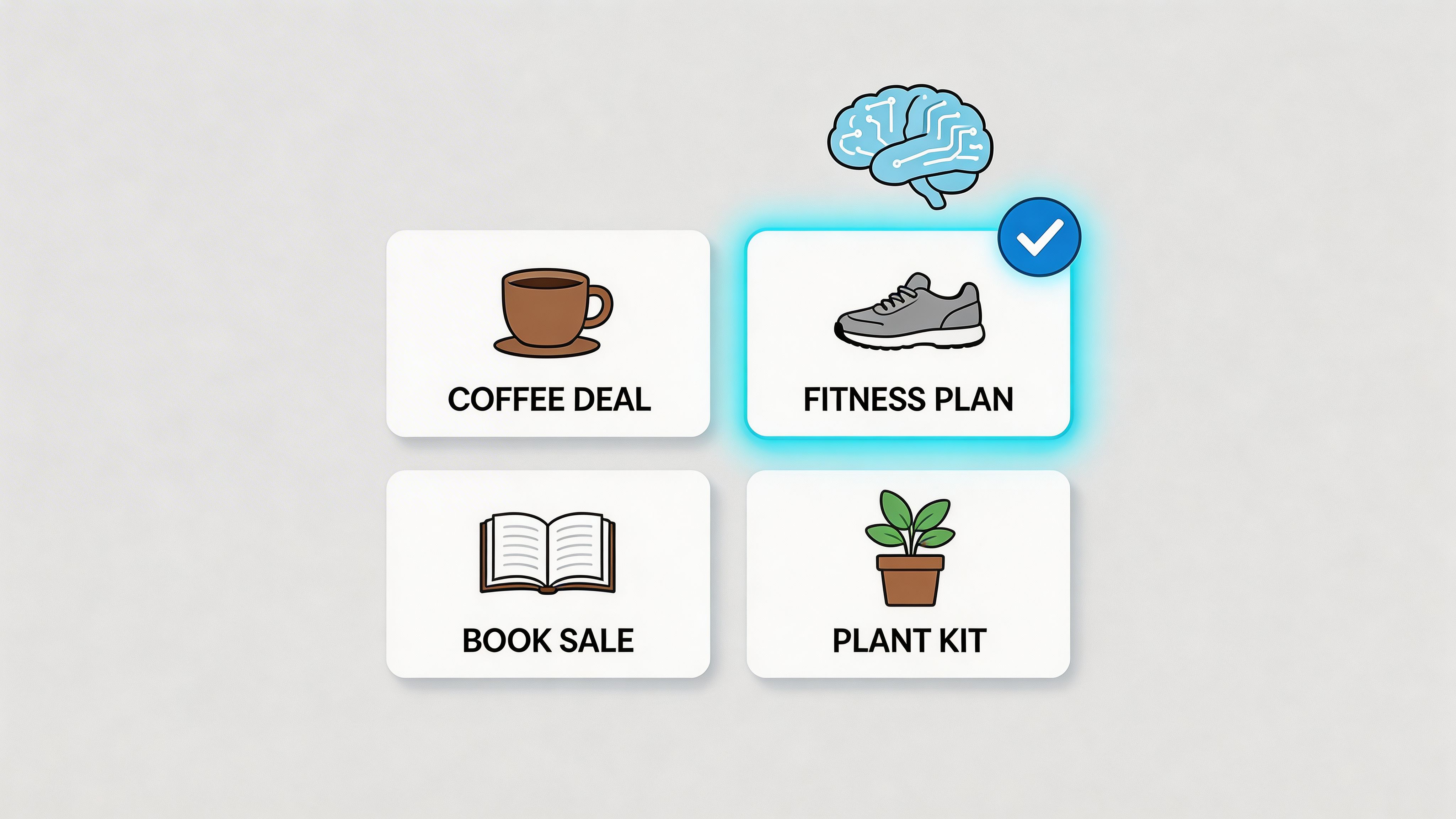
The mistake I see in agency environments is simple. Teams hand too much control to the platform before they define the inputs. Meta Advantage+ Shopping, Google Performance Max, and retail DCO systems can improve output, but they need clear rules on what can vary, which claims require approval, and which visual elements must stay fixed.
The primary trade-off is speed versus brand control
More variation usually gives the algorithm more room to learn. More variation also raises the chance that messaging drifts toward cheap clicks, weak-fit customers, or discount-heavy creative that hurts margin.
The middle ground works better. Set a small number of message pillars, build asset groups by audience stage, and separate offer logic by business goal. That gives the model room to optimize without turning every ad into a different brand.
A practical DCO setup usually includes:
- Brand-safe headline sets: Product promise, proof points, urgency, and category-specific variants approved in advance.
- Audience-based visual pools: Different assets for cold prospecting, retargeting, and customer expansion.
- Offer rules: Separate combinations for new customer acquisition, inventory movement, and margin protection.
- Clear naming conventions: Asset labels tied to audience, angle, and offer so reporting is usable after launch.
Strong DCO systems automate testing volume. They do not outsource positioning.
In a 90-day sprint model, month one should focus on inputs. Build asset libraries, define guardrails, and agree on the reporting taxonomy before launch. Month two should test combinations at the audience and offer level. Month three should narrow the system to repeat winners, retire weak variants, and document what improved revenue efficiency, not just CTR.
That last point matters. DCO can improve engagement while making the sales pipeline worse if the message overpromises or attracts low-intent traffic.
Teams that want a real example of controlled testing can review this media AI content optimization workflow, which shows how structured inputs produce clearer performance decisions. For teams pairing creative testing with search visibility, these essential AI SEO tactics are useful because the same discipline applies. Clear inputs, clean testing logic, and channel-specific execution.
Later in the sprint, train the team to review generated assets for message fit, offer quality, and segment relevance, not just output volume.
One caution from agency work. DCO scales good strategy and bad strategy at the same rate. If the audience is wrong or the offer is weak, AI will help you spend faster, not market better.
3. AI-Driven SEO and Content Strategy
Organic search compounds. So do weak content decisions.
AI helps SEO when teams use it to make better planning calls, not just to produce more drafts. In agency work, the highest returns usually come from three places first: intent mapping, topic clustering, and refresh prioritization. Those are the levers that help a team decide which pages deserve expert input, which keywords belong in the same buying journey, and which existing assets are close enough to improve instead of replace.
That matters because generic AI-assisted content is now common across every category. Speed is no longer the advantage. Editorial judgment, conversion alignment, and distribution discipline are.
For SaaS and B2B teams, AI is useful for sorting search terms by funnel stage, pulling repeated questions from call notes and CRM records, and spotting the gap between what prospects ask sales and what the site currently ranks for. For e-commerce brands, the stronger use case is different. AI can support category expansion, product education content, schema support, and internal linking decisions that improve discovery without creating thin pages at scale.
What tends to produce measurable gains:
- Topic clusters tied to revenue paths: Build around buying themes, use cases, and objections, not isolated keywords.
- Intent separation: Treat educational, comparison, and bottom-funnel queries as different content jobs with different CTAs.
- Refresh workflows: Review aging pages for missed subtopics, weak SERP fit, thin proof, and poor conversion paths.
- Editorial constraints: Set rules for claims, examples, sources, and brand voice before drafting starts.
What usually wastes time:
- Publishing AI drafts with light edits: This can increase output while lowering trust and lead quality.
- Treating traffic growth as the primary KPI: More sessions do not help if assisted conversions, demo requests, or revenue per page stay flat.
- Skipping SME review on high-intent pages: Product, category, and comparison content often needs specific proof to rank and convert.
The trade-off is straightforward. AI reduces research and production time, but it also lowers the barrier to publishing average content. Teams that chase volume often get more indexed pages and weaker business results. Teams that use AI to improve prioritization usually publish less and get more from each page.
A 90-day sprint keeps that trade-off under control.
In month one, audit the current library, group keywords by intent, and score pages by business value and update potential. In month two, rebuild one high-intent cluster end to end. That includes briefs, outlines, SME input, internal links, and conversion paths. In month three, measure page-level outcomes, expand the winning workflow to the next cluster, and cut topics that bring low-fit traffic.
If you want a practical reference for process design, these essential AI SEO tactics fit well with a sprint-based execution model. For a real example of how structured optimization work connects content decisions to measurable outcomes, review this media AI content optimization case study.
4. Conversational AI and Chatbot-Driven Engagement
Most chatbots fail for a simple reason. They’re built to deflect support tickets, not move buyers forward.
That’s a problem because conversational AI is one of the fastest ways to reduce friction for high-intent visitors. If someone lands on a pricing page, a product comparison page, or a demo request flow, speed matters. A useful bot answers, qualifies, routes, and captures context for the next human touch.
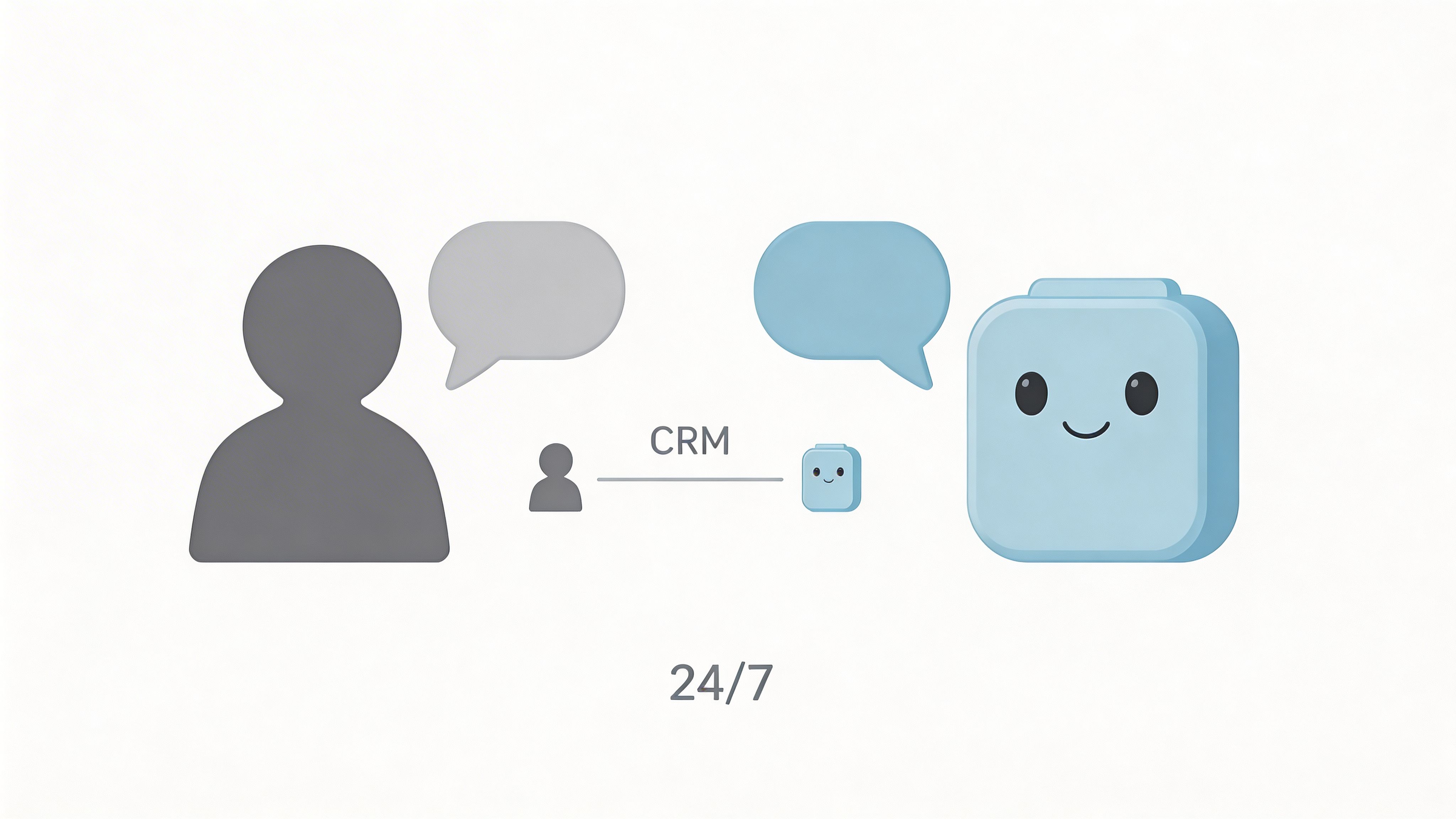
This works well with tools like Drift, Intercom, Zendesk AI agents, Shopify chat tools, and HubSpot chat flows. The best implementations are narrow at first. Pricing questions. Qualification on key service pages. Product recommendation on high-intent category pages.
What leaders should watch
The main trade-off is coverage versus trust.
A bot that tries to answer everything becomes evasive and annoying. A bot that handles a small set of high-frequency, high-intent interactions usually performs better because the user gets a clear answer or a clean handoff.
Good deployment rules include:
- Tell people it’s a bot: Hidden automation tends to reduce trust.
- Train on real conversations: FAQ docs alone usually produce stiff replies.
- Create escalation rules: Pricing objections, enterprise security questions, and emotional complaints should move to a human fast.
If your chatbot can’t hand off context to sales or support, it’s a pop-up, not a revenue system.
What to build first
In a 90-day sprint, start with the pages closest to revenue. For B2B, that may be demo, pricing, and integration pages. For e-commerce, product recommendation and cart assistance often matter more. For SaaS, onboarding and trial support can reduce drop-off.
Don’t judge success by chat volume. Judge it by qualified meetings, assisted conversions, support deflection where appropriate, and whether the handoff improves.
5. AI-Powered Email Marketing and Personalization
Email remains one of the highest-control AI channels in marketing because the feedback loop is immediate. Teams can see who opened, clicked, purchased, ignored the message, or unsubscribed, then adjust quickly inside the same sprint.
That speed cuts both ways. Good segmentation produces measurable lift fast. Weak logic, poor timing, or bad data hygiene shows up just as fast in revenue, complaints, and sender reputation.
The practical use case is not surface-level personalization. Performance comes from changing the message, offer, timing, and sequence based on behavior and lifecycle stage. For e-commerce, that usually means browse abandonment, replenishment timing, category-specific recommendations, and post-purchase cross-sell. For SaaS, it often means activation emails triggered by feature usage, trial milestones, or product drop-off. For B2B, it tends to be nurture paths shaped by role, account tier, and content engagement.
Three operating rules matter more than adding another AI layer:
- Use first-party behavior first: Site activity, product views, purchase history, and in-app actions usually outperform static profile fields.
- Hold out a control group: AI-generated recommendations need a baseline, or the team cannot tell whether the model improved performance or just added noise.
- Set a relevance threshold: If the email feels too specific or arrives too often, trust drops and unsubscribes rise.
Data Quality and Consent Discipline
More personalization increases dependence on clean event tracking, synced customer records, and clear consent rules. If those inputs are messy, AI scales the mistake. That shows up in the wrong product recommendations, duplicate sends, awkward timing, and avoidable compliance risk.
This matters even more for brands running across multiple regions, platforms, or lifecycle stages. The targeting logic may be smart, but it still has to respect local privacy requirements and the customer’s tolerance for how much the brand appears to know. For leaders working through that balance, this piece on Artificial Intelligence Personalization offers useful context.
In a 90-day sprint, start with one revenue path and build depth before expanding coverage. Cart recovery is usually the cleanest place to begin for e-commerce teams, especially if the business already has enough traffic and order volume to test timing, incentives, and recommendation logic. A focused workflow tied to ecommerce checkout optimization results is often easier to justify than a broad personalization project spread across the full lifecycle.
The sequence I recommend is simple. First 30 days, clean the data and define the trigger logic. Next 30 days, launch one AI-assisted flow with a control group. Final 30 days, review lift, unsubscribe impact, and downstream revenue, then decide whether the gain came from better targeting, better creative, or both. That keeps email personalization operational, measurable, and worth the extra complexity.
6. Conversion Rate Optimization CRO with AI
Small checkout fixes often outperform big traffic gains. That is why AI earns its place in CRO faster than in almost any other marketing function.
AI helps teams find friction with more precision. Instead of reviewing recordings and heatmaps one by one, it can cluster drop-off patterns, spot repeated form errors, surface device-specific issues, and highlight which page elements correlate with completion or abandonment. The value is not more activity. The value is better test selection.
That matters in an agency sprint model, where engineering time, design support, and test volume are always constrained. A team that spends 90 days testing button colors across low-intent pages usually gets less return than a team that uses AI to isolate one expensive funnel break and fix it properly.
Where AI improves CRO
Tools like Optimizely, VWO, Convert, Unbounce, and Adobe Target speed up pattern detection. They can help answer questions such as:
- where high-intent users hesitate
- which segments react differently to copy, layout, or offer framing
- whether mobile friction is depressing total conversion volume
- which previous tests produced lift that is worth extending to similar pages
The commercial call still sits with the marketing leader. Teams still have to decide which lift matters, how much traffic a test needs, and whether a local win creates downstream problems like lower lead quality, higher returns, or weaker sales acceptance.
Strong CRO programs prioritize pages by revenue impact first, then use AI to shorten the path to a good hypothesis.
How to run this in a 90-day sprint
Days 1 through 30, pick one conversion point with clear revenue value. Checkout, quote request, demo booking, trial signup, or lead form completion. Audit the step, clean the event tracking, and confirm that the team can separate qualified conversions from weak ones.
Days 31 through 60, launch a small test set tied to one problem. That might be form length, reassurance copy, checkout distractions, pricing-page structure, or mobile CTA visibility. Keep a control in place and define the decision rule before traffic starts.
Days 61 through 90, review lift against business outcomes, not just page-level conversion rate. If conversion went up but average order value dropped, or sales rejected more leads, the test did not improve the funnel. If the result holds, roll the change into adjacent pages or segments and queue the next highest-friction issue.
For e-commerce teams, checkout is usually the fastest proving ground because the feedback loop is short and the revenue impact is easy to see. A focused example of checkout conversion improvements in an e-commerce funnel shows the kind of work that tends to justify AI support quickly.
AI can speed up CRO. It does not replace judgment about traffic quality, commercial value, or test priority. Teams that treat it as a prioritization system usually see the payoff sooner than teams that use it as a layer of extra reporting.
7. Programmatic Advertising with AI Media Buying
Programmatic spend moves fast, and small setup mistakes get expensive fast.
Platforms like Google Performance Max, DV360, The Trade Desk, Marin Software, and Simpli can adjust bids, placements, and audience mix far faster than a paid media team working manually. The upside is real. So is the risk. AI media buying improves efficiency only when the account is fed with clean signals, clear conversion priorities, and creative that matches the offer.
Agency teams usually see the same pattern. Accounts fail less because the bidding system is weak and more because the business handed the system low-quality goals. If a platform is trained on cheap leads, low-intent traffic, or incomplete offline conversion data, it will find more of that. It is doing its job. It is just optimizing toward the wrong outcome.
Three inputs drive performance more than the bidding model itself:
- Conversion quality: Import revenue, pipeline stage, qualified lead status, or closed-won signals where possible.
- Audience signal quality: Use first-party lists, suppression audiences, and customer exclusions to reduce wasted spend.
- Creative and landing page alignment: Efficient buying helps distribution. It does not fix a weak offer, generic ad creative, or a landing page that drops intent.
Trade-offs are important here. Broad automation can find scale faster, but it often reduces visibility into which combinations are working. Tighter controls improve learnings, but they can slow delivery and limit volume. For performance-focused teams, the right move is usually phased adoption, not full automation on day one.
How to run this in a 90-day sprint
Days 1 through 30: Clean up tracking, confirm attribution windows, and define the primary optimization event. For e-commerce, that may be purchase value or contribution margin. For B2B and SaaS, it should be a downstream sales signal, not just a form submission.
Days 31 through 60: Launch one AI-managed campaign against a clear control. Keep budgets contained during the learning period and separate prospecting from retargeting so the results are easier to interpret. Watch search term quality, placement reports where available, conversion lag, and sales feedback, not just platform-reported CPA.
Days 61 through 90: Shift budget based on business quality, not surface efficiency. If automated buying lowers CPL but sales rejects a larger share of leads, the account is getting cheaper and worse at the same time. Keep the campaigns that improve revenue efficiency, then expand signal depth before expanding spend.
For B2B teams, this point is easy to miss. Platforms will often favor high-volume conversion events unless the team pushes CRM outcomes back into the ad system. In practice, that is the difference between an account that scales pipeline and one that scales unqualified demand.
Good AI media buying is less about handing control to the machine and more about setting the right economic rules. Teams that treat programmatic AI as an operating system for faster testing, tighter feedback loops, and cleaner budget allocation tend to get results inside a single 90-day sprint.
8. Social Media Analytics and AI-Powered Insights
Social teams generate a high volume of signals every day. Very few marketing teams turn those signals into budget, messaging, and pipeline decisions inside the same quarter.
That is the gap AI can close.
Used well, AI helps teams sort through comment themes, sentiment changes, creator mentions, engagement patterns, and competitor activity fast enough to act on them during a 90-day sprint. The goal is not a prettier dashboard. The goal is to find patterns early, adjust creative and messaging, and improve results across paid social, organic content, email, and sales enablement.
The strongest use case is segmentation. Social gives you constant feedback on what different audiences care about, what objections keep resurfacing, and which content angles create real buying interest. That matters more than headline engagement metrics because social often surfaces language your customers will later use in demos, sales calls, and search behavior.
What strong social AI analysis looks like
Platforms like Sprout Social, Hootsuite, Brandwatch, Brand24, and Talkwalker can speed up analysis, but the output needs to be specific enough to guide action.
Useful signals usually fall into three groups:
- Message themes: Which pain points, hooks, or proof points generate qualified engagement instead of passive reactions
- Sentiment shifts: Which campaign launches, service issues, pricing changes, or claims affect brand perception
- Audience response by segment: Which groups respond to educational content, product proof, founder-led opinion, or customer evidence
For B2B teams, this is often underused. If operations leaders keep commenting on implementation risk while executives engage more with ROI proof, your team should not publish one generic content stream and hope both groups convert. Split the messaging. Test it across paid and organic. Then check whether that shift improves lead quality, demo rates, or influenced pipeline.
The main trade-off
AI can speed up content analysis. It can also flatten your brand if teams let the tool write, schedule, and optimize everything without review.
I have seen social programs get more efficient and less persuasive at the same time. Posting cadence improves, summaries get faster, and reports look cleaner. Response quality drops because the voice starts to sound generic, reactive, or detached from what buyers care about. On social, that trade-off shows up quickly.
Use AI to classify feedback, cluster themes, summarize large comment sets, and identify timing patterns. Keep humans responsible for tone, escalation decisions, claim review, and brand risk.
A practical 90-day sprint
Days 1 through 30: Define the business question first. It might be which content themes drive demo requests, which objections are increasing after a pricing change, or which audience segment is reacting to a new category message. Tag recent posts by theme, format, audience, and funnel intent so the model has something useful to analyze.
Days 31 through 60: Run a focused test across two or three content angles. Compare not just engagement, but downstream actions such as site visits from target accounts, assisted conversions, lead quality, or inbound conversation volume. Add social listening around branded terms, competitors, and recurring objections.
Days 61 through 90: Roll the winning language into adjacent channels. Update ad copy, landing page headlines, nurture sequences, and sales talk tracks based on what social feedback showed. If social insight never changes execution elsewhere, the analysis stays interesting and unprofitable.
That is the operating model that makes AI-powered social insight useful in an agency environment. Fast pattern detection matters. Faster conversion of those patterns into tests matters more.
9. AI-Powered Account-Based Marketing ABM Strategies
A small target-account list usually beats a large one. In agency work, I’ve seen ABM programs stall because teams picked 500 accounts, promised personalization, and delivered generic outreach at scale. AI improves ABM when it helps your team decide who deserves sales time, paid support, and custom messaging first.
The practical use case is prioritization. AI can score accounts using firmographic fit, product usage, intent signals, engagement history, open opportunities, and buying-stage indicators pulled from your CRM and ad platforms. That gives revenue teams a working order of operations instead of a static named-account spreadsheet.
What matters is not the model by itself. What matters is whether sales, paid media, lifecycle, and content teams can act on the score within the same sprint.
What a good pilot looks like
Keep the first 90 days narrow and measurable. Pick one segment, one offer, and one buying committee pattern. That constraint makes it possible to learn quickly and protect sales capacity.
A practical structure:
- Tier 1 accounts: Custom outreach, customized landing page copy, tighter sales and marketing coordination
- Tier 2 accounts: Personalization by industry, use case, or pain point cluster
- Tier 3 accounts: Lighter nurture, paid retargeting, and promotion into higher-touch treatment only after clear intent signals
Tools like 6sense, Demandbase, LinkedIn ABM capabilities, HubSpot, and Terminus can support this. Vendor selection matters less than data quality, routing rules, and response speed.
The trade-off that decides ROI
ABM costs rise fast when every account gets custom treatment. Results flatten when all accounts get the same message.
The middle ground is selective depth. Reserve human research, custom creative, and SDR coordination for accounts with enough deal value and enough evidence of active interest. Use AI to rank, cluster, and time outreach. Keep humans responsible for account strategy, message accuracy, and political nuance inside the buying group.
That balance is what keeps ABM profitable.
A practical 90-day sprint
Days 1 through 30: Define your ideal account profile and build a focused list with clear exclusion rules. Connect CRM, website, ad engagement, and intent data if available. Audit whether account ownership, lifecycle stages, and field mapping are clean enough to support scoring.
Days 31 through 60: Launch outreach by tier. Test two or three message angles tied to industry pain points or use cases, not broad brand language. Review which accounts move from engagement to meeting creation, not just who clicks ads or opens emails.
Days 61 through 90: Reallocate effort based on conversion signals. Expand Tier 1 only if the initial cohort shows stronger pipeline velocity or deal quality than your standard demand gen motion. If that lift does not appear, tighten the account list, reduce customization, or revisit the scoring inputs before scaling.
In a fast-paced agency model, that is the core value of AI-powered ABM. It helps teams build a repeatable system for choosing accounts, matching effort to revenue potential, and improving performance inside a 90-day sprint.
10. Attribution Modeling and Multi-Touch Analytics
Roughly half of the buying journey can happen before a sales conversation starts. If your reporting still gives most of the credit to the last click, budget decisions will skew toward the channels that close the session, not the ones that created demand.
Attribution modeling matters because paid search, paid social, organic, email, direct traffic, sales outreach, and product activity all influence the same pipeline. AI helps sort through that complexity faster than a manual spreadsheet review, but the output is only as useful as the tracking setup behind it.
The common failure point is not the model selection. It is instrumentation.
I have seen teams spend weeks debating first-click, last-click, linear, and data-driven attribution while basic tracking issues remained unresolved. UTMs were inconsistent. CRM lifecycle stages meant different things to sales and marketing. Offline conversions never made it back into ad platforms. In that setup, AI will produce cleaner charts, not better decisions.
Three practices usually separate attribution that changes budget from attribution that stays in reporting decks:
- Define revenue stages clearly: Agree on what counts as a qualified lead, pipeline, sourced revenue, and influenced revenue before reviewing channel performance.
- Compare models before shifting spend: Look at at least two views, usually position-based and data-driven, to see whether a channel creates demand early or captures it late.
- Review weekly, reallocate monthly: Frequent readouts help teams catch tracking problems and directional changes. Budget moves should wait until the pattern holds long enough to justify action.
The trade-off is speed versus confidence. A simpler model with clean inputs will usually outperform an advanced model built on messy data. For agency teams running SEO, PPC, paid social, CRO, and email at the same time, that distinction matters. Fast reporting is useful. Reliable reporting is what protects ROI.
A 90-day sprint is enough to get this into production. Days 1 through 30 focus on event hygiene, UTM rules, CRM mapping, and conversion syncing. Days 31 through 60 compare channel paths and identify where last-click reporting is undercounting assist value. Days 61 through 90 shift budget toward the touches that improve pipeline quality or shorten sales cycles, then test whether the gain holds.
That is the operational value of AI here. It gives performance teams a faster way to evaluate contribution across channels and make budget decisions inside a quarter, not after the quarter is already lost.
10-Point AI-Driven Marketing Strategy Comparison
Your First 90 Days with AI-Driven Marketing
Teams that put AI into a defined operating cadence usually see results faster than teams that buy tools first and sort out process later. In practice, the first 90 days should answer one question: where can AI improve revenue efficiency now, with the least operational drag?
Start with the bottleneck that is already costing money. Weak pipeline quality points to predictive analytics or ABM. Paid media with high spend and soft conversion rates usually calls for DCO or CRO. Flat retention in e-commerce often makes email personalization the cleaner first use case. If channel reporting keeps turning into internal debate, fix attribution before adding more automation.
The mistake I see most often is broad adoption without a sprint model. Teams add AI to content, ads, reporting, and email at once, then struggle to prove what changed, who owns it, or whether margin improved. A 90-day plan prevents that sprawl.
Days 1 to 30 are for baseline and scope.
Audit the data sources, define the target event, assign one owner, and decide what the team will stop doing so the test gets real attention. Keep the use case narrow enough to measure. One funnel stage, one audience segment, or one commercial objective is enough. AI projects usually fail for ordinary reasons: bad inputs, unclear ownership, and no decision rule for success.
Days 31 to 60 are for controlled deployment. Put the model or workflow into one live environment and watch signal quality closely. Trade-offs emerge clearly. You find out whether the tool needs cleaner data, whether creative or sales ops is the actual constraint, or whether the use case looked promising in a demo but does not hold up in production.
Days 61 to 90 are for scale, revision, or shutdown.
Keep what improves conversion rate, lead quality, revenue per session, or cost efficiency. Rework the tests that showed promise but were limited by data quality or workflow friction. Cut anything that creates activity without commercial lift. Fast teams win here because they treat AI like an operating experiment, not a branding exercise.
Governance needs to be part of the sprint, not a cleanup task after launch. Privacy, consent handling, and human review get harder once AI touches multiple channels and customer segments. The practical approach is simple: define approved data sources, document review steps, and set limits on what the system can automate without a person signing off. That keeps speed high without creating compliance risk that later slows the whole program.
There is also a maturity gap that marketing leaders should acknowledge. Many teams already use AI tactically for copy generation, bid adjustments, reporting, or segmentation. Fewer teams connect it to planning, budget reallocation, and cross-channel decision-making. The advantage comes from tying AI outputs to weekly operating decisions, not from stacking more subscriptions into the martech budget.
Agencies that already run on short execution cycles often have an easier path here. Ezca Agency is one example. The team works in focused 90-day sprints across SEO, paid ads, CRO, email, and content, using AI alongside human specialists to shift effort and budget toward the highest-return opportunities.
Pick one bottleneck. Run one sprint. Demand commercial proof.
If you want help turning these ai driven marketing strategies into a working 90-day plan, Ezca Agency helps SaaS, e-commerce, and B2B teams apply AI to SEO, paid media, CRO, email, and content with a performance-focused sprint model.