
A Business Leader's Guide to Google Shopping Feed Optimization
Elevate your e-commerce with our 2026 guide to Google Shopping feed optimization. Learn data-driven strategies to boost visibility & ROAS for online wins.
Optimizing your Google Shopping feed isn't a technical task to delegate and forget. It's the core strategic lever that determines whether your ad spend is a cost center or a high-return investment. For business owners and marketing leaders, a well-managed feed is a direct path to higher visibility, more qualified clicks, and measurable revenue growth.
The High-Stakes Game of Google Shopping in 2026
In today's market, Google Shopping isn't just another advertising channel; it's the primary battleground where e-commerce market share is won or lost. Your product feed is your single most important competitive asset.
Think of it in terms of ROI. A meticulously optimized feed gives your products prime, eye-level digital shelf space. A neglected feed does the opposite, leading to tangible losses: your products are buried, your Cost-Per-Click (CPC) climbs, and you leak revenue daily.
A high-quality feed, however, directly moves the metrics that matter to leadership: impression share, Click-Through Rate (CTR), and Return on Ad Spend (ROAS).
From Cost Center to Growth Engine
We must shift the conversation from feed management as a technical chore to a strategic investment with a clear, predictable ROI. Every data point in your feed—from the product title to custom labels—is a lever to improve performance. Ignoring these details is not a passive mistake; it actively sabotages campaign profitability.
Here are common, costly examples:
- Vague product titles ("Men's Sneaker") tank relevance scores. This means Google shows your ads to the wrong shoppers or not at all, wasting ad spend.
- Missing GTINs are a revenue killer. They disqualify your products from appearing in high-intent, bottom-of-funnel searches where customers are ready to buy.
- Low-quality images don't get clicked. A high impression share is worthless if blurry images lead to an abysmal CTR.
At Ezca, our entire e-commerce industry strategy is built on the foundation of the product feed. We structure our engagements in focused 90-day sprints designed to turn this data file into a dynamic, revenue-driving asset.
The Undeniable Impact of Data Quality
The data is clear. Google Shopping captures a commanding 76% of retail search ad spend and drives a 30% higher conversion rate than text ads. This dominance means mastering your feed is non-negotiable for scaling your business.
A well-structured feed allows you to be more efficient with your ad spend, pushing budget toward what works and pulling back from what doesn't.
Core Feed Attributes and Their Business Impact
This table outlines how specific optimizations translate directly into performance gains, helping you prioritize efforts for maximum ROI.
A well-structured product feed isn't about appeasing Google's algorithm. It's about giving a real customer the exact information they need, at the exact moment they're ready to buy. You're creating a frictionless path from discovery to purchase.
This strategic mindset is the cornerstone of any solid multi-channel marketing plan, where data consistency is paramount. For a full technical playbook, this comprehensive Google Shopping feed optimization guide is an excellent next step. The key takeaway for leaders is simple: to master your market, you must first master your data.
Laying the Groundwork: Getting Your Core Feed Attributes Right
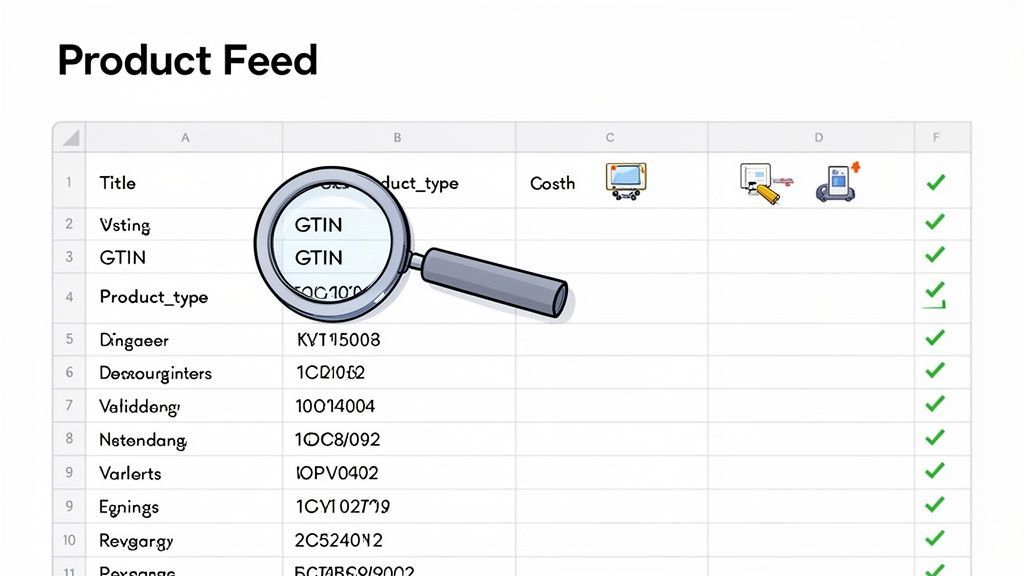
A top-tier Google Shopping feed isn't just about having data; it's about having the right data, structured for performance. For marketing leaders, this is where you start seeing real returns. These attributes are the foundation of your campaign's visibility and profitability.
Think of it as the concrete foundation of a building. Get it wrong, and everything you build on top will be unstable. When we kick off a 90-day sprint with a new client at Ezca, our first job is always to fix this foundation. It’s the fastest way to score early wins and eliminate the constant Merchant Center errors that drain resources.
Titles and Identifiers Are Your Heavy Lifters
Your product_title is the most critical lever for influencing both Google’s algorithm and your customers. A lazy title like "Men's Sneaker" is a wasted opportunity. A strategic one like "AeroStride Men's CloudFlex Running Shoe - Size 11 - Obsidian Black" attracts high-intent shoppers and boosts ad relevance.
Global Trade Item Numbers (gtin) are non-negotiable. Google uses these unique codes to compare your product against competitors. Missing or incorrect GTINs render you invisible in crucial price comparisons and "best of" shopping carousels. You're effectively taking yourself out of the game before it starts.
A well-structuredproduct_typedirectly shapes your campaign architecture, while accurateGTINsare crucial for winning price comparisons and boosting visibility. Getting these right from the start creates compounding returns down the line.
The impact is significant. Retailers who optimize titles with keywords (up to 150 characters) and ensure perfect GTINs can see impression share jump by 40-60% without increasing bids. Google is already penalizing incomplete feeds; missing a brand or GTIN means fewer impressions, even with aggressive bidding.
Your Images and Descriptions Do the Selling
Your product images are your digital storefront. Google's guidelines suggest high-resolution photos (at least 800x800 pixels) on a plain white background, but meeting the minimum isn't enough to win.
You need a mix of images to tell a complete story:
- Primary Image: The clean, crisp product shot for compliance and clarity.
- Contextual Images: Show the product in use. If it's a backpack, show someone hiking with it.
- Detail Shots: Zoom in on unique features, like fabric texture or craftsmanship.
If your source photos are low-quality, it’s worth the effort to upscale images for ecommerce to grab shopper attention and meet Google's standards.
The description field is your sales pitch. You have up to 5,000 characters, but the first 160 are most critical—this is what shoppers see before the text is truncated. Pack this space with your product's key features and benefits, using keywords naturally.
Advanced Optimization Tactics for Market Leadership
A clean, error-free feed is just table stakes. To dominate your market, you must treat your feed as a strategic weapon. This is where you move from fixing problems to creating a true competitive advantage by engineering specific business outcomes.
These advanced strategies provide surgical control over how, when, and where your products appear. It’s about putting your budget exactly where it will drive the highest return and outmaneuvering competitors running on autopilot.
Weaponize Your Feed with Custom Labels
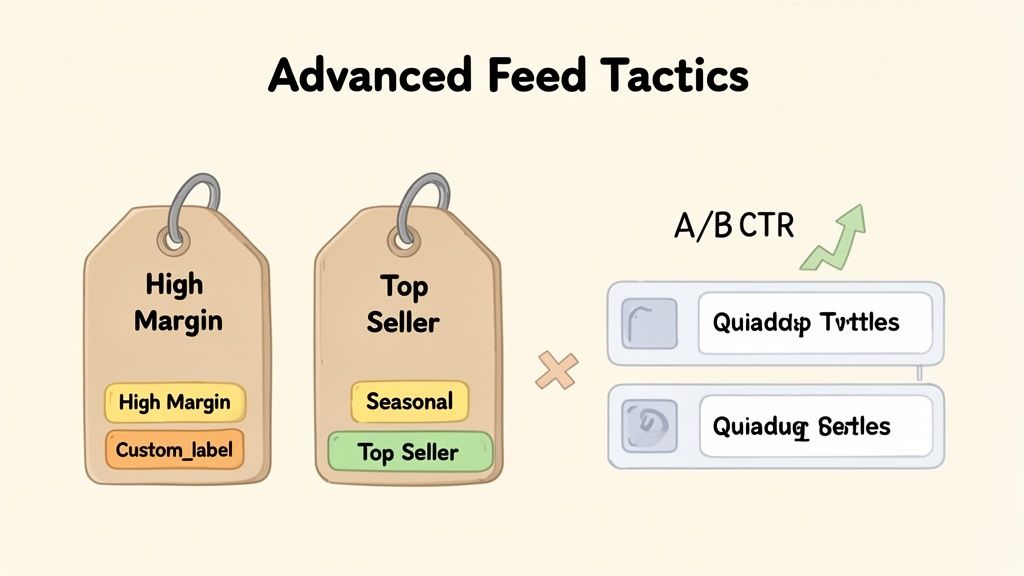
The custom_label attributes are the most powerful and underutilized tools in Google Shopping. While competitors bid broadly, custom labels let you build a sophisticated campaign structure that mirrors your business goals. These internal tags are your secret to smarter segmentation.
Go beyond the basics and tag products with data points that matter to your business:
- Profitability: "High Margin" vs. "Low Margin"
- Performance: "Top Seller," "Slow Mover," or "High ROAS"
- Seasonality: "Summer Collection" or "Holiday Peak"
- Inventory Status: "Overstock" or "Clearance"
With these labels, you can create specific product groups in Performance Max or Shopping campaigns. This gives you incredible control. Bid aggressively on "High Margin" bestsellers while setting a conservative ROAS target for "Clearance" items. This dynamic budget allocation is a core part of any profitable paid search strategy.
Run Title A/B Tests to Find Your Winning Formula
Your product title is your ad headline. A small change can cause a massive swing in CTR and sales. Stop guessing and start methodically testing title structures.
A simple, effective method is using a supplemental feed. Take 50% of your top-selling products and run a two-week A/B test comparing two title formulas:
- Test A (Brand-First):
[Brand] - [Product Type] - [Key Attribute] - [Size] - Test B (Attribute-Led):
[Product Type] - [Key Attribute] - [Brand] - [Color]
After the test, analyze the data. If Test B produced a 15% lift in CTR, you have a data-backed winner. Roll out that structure across the rest of the category. This iterative process is how our teams at Ezca find the winning formulas that drive real performance gains.
The real goal of advanced feed optimization isn't just to show up—it's to be profitable. Custom labels and A/B testing shift you from a "spend and see" approach to an "invest and grow" strategy, directly connecting your ad spend to business metrics like profit margin and inventory turnover.
Expert-level feed management combines keyword-rich titles, clean images (which can boost CTR by up to 25%), and intelligent custom labels. You can discover more winning Google Shopping feed practices on Wixpa.com to round out your strategy.
Leverage Promotions and Supplemental Feeds
On a crowded results page, promotions are CTR magnets. A "Special Offer" tag creates urgency and value. While you can manage these in Merchant Center, a dedicated promotions feed offers more control for complex sales.
By applying offers like "15% Off" to specific segments—like the "Overstock" group created with custom labels—you can turn slow-moving inventory into cash, fast.
Supplemental feeds are your best friend here. They allow you to add or change data without altering your primary feed. Use them to:
- Add or overwrite custom labels based on fresh performance data.
- Test different product images for key items.
- Fill in missing attributes like
colorormaterial.
For example, you can set up a simple Google Sheet as a supplemental feed to tag best-performing products with a "Top Seller" label each week, turning a static feed into a dynamic marketing asset without developer help.
A Comparison of Basic vs Advanced Feed Tactics
This table breaks down how shifting from basic management to advanced optimization directly impacts business results.
The basic approach gets your products listed. Advanced tactics turn your Google Shopping channel into a predictable, scalable growth engine.
Mastering Feed Quality and Troubleshooting Errors
Errors and disapprovals in Google Merchant Center are inevitable. How you handle them makes all the difference. Instead of playing whack-a-mole, you need a system. Otherwise, these "small" issues will quietly tank performance, shrink visibility, and bleed your ad budget. The worst-case scenario is a full account suspension, shutting off your revenue stream completely.
The financial hit is real. A price mismatch gets a product disapproved. Image violations or missing GTINs don't just hurt one product; they degrade your entire account health, making every click more expensive.
This is why we build a process to anticipate and prevent data issues, keeping revenue flowing and campaigns running at full potential.
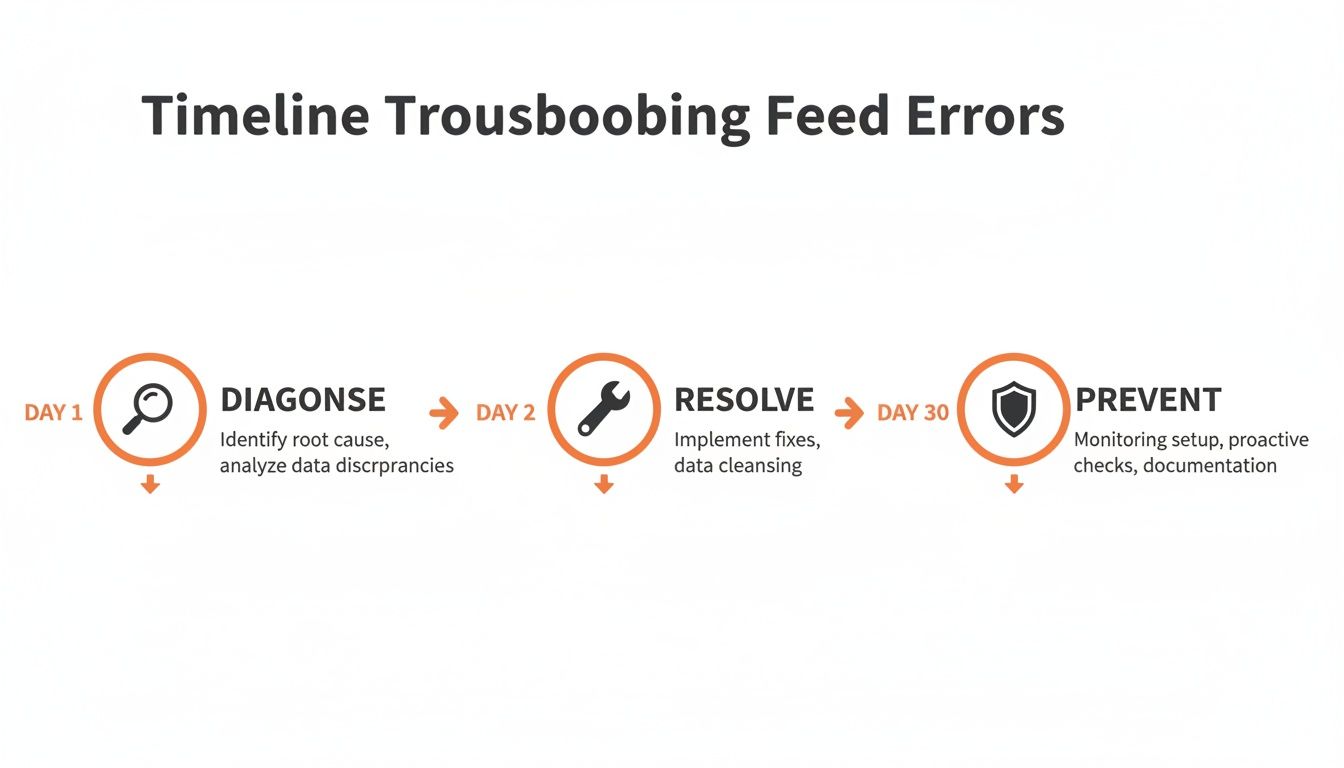
The goal isn't just to fix what's broken today. It's to build a resilient feed that prevents these problems from recurring.
Diagnosing the Most Common and Costly Errors
The "Diagnostics" tab in Google Merchant Center is your command center. It categorizes problems by severity: errors (red), warnings (yellow), and notifications (blue). Your non-negotiable priority is getting to zero critical errors.
These are the usual suspects and the damage they cause:
- Price and Availability Mismatches: The price or stock status in your feed differs from your landing page. This is a surefire way to get a disapproval and frustrate customers.
- Missing Unique Product Identifiers (GTINs): A product without a GTIN is practically invisible. Google can't match it against other offers, so its impression share plummets.
- Policy Violations (e.g., promotional text in images): Adding a "SALE" banner to your main product image is a shortcut to disapproval. Google’s image rules are strict.
Letting these problems fester is like leaving money on the table. Conflicts between automated feeds and Google's rules cause up to 65% of account suspensions. In contrast, clean feeds can see 25-40% higher CTRs. You can read more analysis on the ROI of professional feed management on Barham Marketing.
Resolving Issues with Feed Rules and Supplemental Feeds
You don't always need a developer to fix things. Merchant Center has two powerful, built-in tools.
Your first line of defense is Feed Rules. These let you manipulate your product data directly within Google’s platform. For instance, if your brand attribute is missing but is always at the start of your title, you can create a rule to extract that text and populate the brand field. It's a quick, powerful fix.
Think of feed rules like a supercharged "find and replace" for your product data. They’re perfect for standardizing data, fixing common formatting mistakes, or applying a static value to a group of products.
For more complex jobs, you have Supplemental Feeds. These are secondary spreadsheets that add to or override data in your main feed. They are lifesavers for enriching data without touching your website’s backend.
Imagine your product images are flagged for watermarks. Instead of a massive site project, create a supplemental feed with two columns: id and image_link. For every product ID with a bad image, paste in a link to a clean version. Google will prioritize this image, and the error vanishes. This agile google shopping feed optimization separates top performers from everyone else.
A 90-Day Playbook for Total Feed Dominance
Theory is good, but business leaders need an actionable plan. This is the exact 90-day sprint we use at Ezca to deliver measurable results. It breaks down feed optimization into manageable stages, with each month building on the last for compounding returns.
Month 1: The Foundation and Quick Wins
The first 30 days are about building a solid foundation and banking immediate wins. Your single most important task is to get your Merchant Center 'Diagnostics' tab to zero critical errors. Fix every red-flag issue—price mismatches, missing GTINs, policy violations—to unlock immediate visibility.
Simultaneously, focus on your top-selling products.
- Audit Your Top 20%: Pull the top 20% of SKUs by revenue. Analyze their titles. Are they optimized with a structure like Brand + Product Type + Key Attribute?
- Rewrite and Test: Craft new, data-driven titles for this group to boost CTR on your most valuable items.
- Set a Baseline: Document current CTR, impressions, and conversion rates for these products to prove the ROI of your work.
By the end of month one, your feed will be clean, your most important products will perform better, and you'll have the data to prove it.
Month 2: Enrichment and Segmentation
With a stable foundation, we layer in intelligence. Month two is about data enrichment. Our primary tool is custom_labels. Slice your catalog based on what matters to your business.
For example, create labels for:
custom_label_0: "high-margin" vs. "low-margin"custom_label_1: "bestseller" vs. "slow-mover"custom_label_2: "seasonal-summer" vs. "evergreen"
This segmentation is a game-changer. It lets you build sophisticated campaign structures in Google Ads, bidding aggressively on profitable products while managing spend on others.
A 90-day sprint isn't about doing everything at once. It's about smart, disciplined phases. Month two is where we stop playing defense by fixing errors and start playing offense with strategic segmentation.
This is also the perfect time to A/B test product images. For a specific category, use a supplemental feed to test lifestyle photos against standard product-on-white images. Track the impact on CTR; even a small lift can dramatically increase sales.
Month 3: Scaling and Automation
In the final 30 days, we scale wins and build automation. You have a clean, enriched feed and initial performance data. It's time to apply those lessons across the board.
Take the winning formulas from your title and image tests and roll them out to their respective categories. If an "Attribute-First" title structure increased CTR by 15% for running shoes, apply that structure to all footwear.
Now, lean into performance data. During these sprints, top agencies like Ezca use their tools to monitor diagnostics and continuously A/B test to prove ROAS lifts. It's not uncommon to see 25-40% CTR jumps and 15% CPC drops within weeks. Our experience generating over $100M in e-commerce revenue and 200K+ B2B leads for clients like HubSpot and Samsung comes from treating the product feed as a core business asset. You can see how top agencies approach these feed best practices on Wixpa.com for more ideas.
Finally, automate. Use your "slow-mover" custom label to automatically apply a promotion or lower bids. Set up rules so the feed updates instantly when a product goes out of stock, preventing wasted ad spend. This turns your feed from a manual chore into a self-optimizing system.
Let's tackle some of the questions I hear all the time from business owners and marketing leaders when we talk about Google Shopping. These are the nuts-and-bolts concerns that come up when you start digging into a serious feed optimization strategy.
How Long Does It Take to See Results from Feed Optimization?
This is the big one, and the honest answer is: it depends on where you're starting from.
If your feed is riddled with critical errors, fixing those can get your products back online and generating impressions within a couple of days. But for the deep, strategic work that really moves the needle, you should plan on seeing a significant performance lift within 2 to 4 weeks. That's the typical window for Google’s algorithm to process the changes, re-evaluate your products, and reward your higher-quality data.
In our 90-day sprints, we hunt for those quick wins right out of the gate by squashing major disapprovals. But the more substantial gains in Return on Ad Spend (ROAS) and Click-Through Rate (CTR) build over the first month as we layer in smarter optimizations like title rewrites and strategic custom labels.
The key takeaway for business leaders is that feed optimization isn't a one-and-done project. It's a continuous cycle of testing and refinement that builds and protects your competitive edge.
What Are the Most Important Metrics to Track for Success?
Of course, you're watching revenue and ROAS—those are the ultimate measures of success. But the experts keep a close eye on the leading indicators that signal whether your feed health is getting better or worse. These metrics are your early warning system.
First, in Google Merchant Center, your North Star is the 'Diagnostics' tab. The goal here is non-negotiable: maintain zero critical errors. If you have errors, your products aren't even eligible to show up. It’s a pass/fail metric.
Over in Google Ads, I track a few key health metrics:
- Impression Share: Are you gaining visibility against the competition? A rising impression share is a fantastic sign that Google sees your products as more relevant for important search queries.
- Click-Through Rate (CTR): Are your listings actually compelling? When your CTR climbs, it means your combination of product title, image, and price is winning the click.
- Cost-Per-Click (CPC): Are you getting more efficient? The holy grail is seeing your CTR go up while your CPC stays flat or even drops. That's a powerful signal that Google is rewarding your high relevance with better ad auction prices.
When these leading indicators are all trending in the right direction, you can be confident that your bottom-line results like revenue and ROAS will follow.
Should I Use a Feed Management Tool or Optimize Manually?
This really comes down to your scale and your ambition.
If you’re a small shop with less than 50 products and your inventory doesn't change much, managing your feed manually with a Google Sheet is a perfectly fine place to start. It’s a great way to learn the ropes without adding another software cost.
However, the moment you get serious about scaling, a dedicated feed management platform becomes a necessity. You simply can't execute advanced tactics effectively by hand once you have hundreds or thousands of products. The manual process breaks down fast.
These platforms are the engine for creating a truly competitive feed. They allow you to:
- Automate Data Syncing: This keeps your pricing and inventory data fresh, which is critical for avoiding disapprovals for
price mismatchorout of stockitems. - Build Powerful Rules: You can transform your product data at scale—like adding color or material to titles—across your entire catalog with a few clicks. This is impossible to do manually.
- Enrich Your Data Easily: Want to test a new lifestyle image or add a missing attribute? These tools make it simple to supplement your feed without having to bug your developers.
At Ezca, we rely on these tools every day. They give us the power and speed to turn our clients' feeds from a simple list of products into a strategic asset.
What Should I Do If My Products Do Not Have GTINs?
This is a critical issue, because GTINs (think UPCs, EANs, etc.) are how Google identifies specific products and groups all sellers together. The right way to handle this completely depends on why your products don't have them.
Scenario 1: You sell custom, handmade, or one-of-a-kind products.
If you're the manufacturer and your products genuinely don't have a GTIN, the correct move is to set the identifier_exists attribute to no (or FALSE) in your feed. This tells Google that a GTIN was never assigned, and you won't be penalized.
Scenario 2: You're a reseller of branded products that should have GTINs. If you're in this boat and you're just omitting them from your feed, you're putting yourself at a massive disadvantage. Google uses the GTIN to group you with all other retailers selling that exact same item. Without it, your impression share will be severely limited, and you’ll be excluded from some of the most valuable Shopping placements.
There is no clever workaround here. The only solution is to get the correct GTINs for your entire catalog. This means reaching out to your suppliers and distributors and making it a priority. Getting this data is one of the single most important things you can do to improve performance.
Ready to stop guessing and start building a high-performance Google Shopping program? The team at Ezca uses the data-driven strategies outlined in this guide to deliver measurable growth for e-commerce brands in focused 90-day sprints. Let's talk about how we can build a custom playbook for your business.